Key takeaways
- Rendering in animation turns animated 3D scenes into the finished frames audiences actually see.
- Unlike a still image, an animation may require hundreds or thousands of frames, so even small increases in render time can quickly become a production problem.
- Good animation rendering is not only about image quality. Frames also need to remain visually consistent from one moment to the next.
- Test renders, image sequences, organized assets, cached simulations, and representative frame testing can prevent expensive mistakes before the full sequence is rendered.
- For larger animation rendering workloads, distributing frames across multiple machines can reduce turnaround time and leave local workstations available for creative work.
TL;DR
Rendering in animation is the process of turning animated scenes into finished frames by calculating geometry, materials, lighting, shadows, effects, camera settings, and other scene data.
The challenge is scale. A single finished image only needs to be rendered once, while a 30-second animation at 24 frames per second contains 720 frames. A one-minute animation contains 1,440.
That means animation rendering needs more than good visual settings. It also requires planning around frame count, render time, consistency between frames, revisions, failed frames, and available computing power.
From the animation jobs we see rendered with us, one of the most useful habits is testing representative frames before committing to the full sequence. Our Blender render farm guide, for example, recommends testing around 20 frames spread across an animation to expose problems and produce a more realistic cost estimate before the full job begins.
What rendering means in animation
Animation gives characters, cameras, objects, and effects movement, but the scene still needs to be converted into finished images.

Rendering in animation is the process of calculating what the camera sees in each frame. The renderer takes information from the 3D scene, including geometry, materials, lights, shadows, effects, simulations, and camera settings, and turns it into pixels.
In other words, animation determines what moves and when. Rendering determines what those animated moments finally look like.
A 3D scene itself is mostly a collection of instructions and data. Models describe form, materials describe surface behavior, lights define illumination, cameras establish the view, and animation changes those elements over time. The renderer interprets that information separately for each frame.
If you are looking for a broader introduction to rendering outside animation specifically, our guide to how 3D rendering turns scenes into finished images covers the fundamentals in more detail.
How rendering shapes the final look
Rendering does much more than simply export an animation.
The same models and animation can look realistic, graphic, soft, dramatic, playful, painterly, or cinematic depending on how the scene is lit, shaded, rendered, and processed.
Lighting and atmosphere
Lighting determines how forms are revealed and where the viewer's attention goes.
It can establish the time of day, suggest a location, separate characters from the background, or completely change the emotional tone of a scene.
In animation, lighting also has to work across movement. A setup that looks convincing in one still frame may reveal unwanted shadows, blown highlights, or distracting reflections when the character or camera moves.
This is one reason testing only a single hero frame can be misleading.
Materials and surfaces
Materials determine how surfaces interact with light.
A metal surface may need strong reflections, skin requires different shading behavior from plastic, and glass may involve transmission, refraction, and multiple light interactions.
The important difference in 3D animation rendering is that those materials have to remain convincing as objects move through different lighting conditions and viewing angles.
A reflection that looks harmless in one frame may suddenly dominate the image when the camera shifts a few degrees.
Shadows and reflections
Shadows help objects feel connected to their environments, while reflections communicate properties such as gloss, roughness, metalness, glass, water, and polished surfaces.
Both can also increase rendering work.
In an animation, that cost is multiplied across every frame in which the effect appears. A setting that adds only a few seconds to a still render may add hours when applied across hundreds or thousands of frames.
Effects and simulations
Smoke, fire, water, hair, cloth, particles, destruction, and other simulations can be some of the most demanding parts of an animated scene.
They also introduce another concern: consistency.
Simulations usually need to be cached or baked before final rendering. Otherwise, different machines or different render attempts may calculate the effect differently, resulting in frames that no longer match.
Why animation requires so much rendering power
The simplest difference between rendering a still image and animation rendering is frame count.

A still image is calculated once.
An animation needs a new finished image for every frame.
At 24 frames per second:
- 10 seconds of animation = 240 frames
- 30 seconds of animation = 720 frames
- 60 seconds of animation = 1,440 frames
- 10 minutes of animation = 14,400 frames
If one frame takes 10 minutes to render, a one-minute animation contains:
1,440 frames × 10 minutes = 14,400 minutes
That is 240 machine-hours on one computer.
A 30-second animation at the same render time would still require 120 machine-hours.
This is why animation render time can become a bottleneck even when individual frames do not seem particularly slow.
Small changes per frame add up quickly
This is one of the easiest things to underestimate.
Suppose you make a quality adjustment that increases render time from 10 minutes to 12 minutes per frame.
That extra two minutes sounds minor.
Across 1,440 frames, however, it adds:
1,440 × 2 minutes = 2,880 extra minutes
That is another 48 machine-hours.
For animation, optimization decisions are rarely about one frame. They are about what happens when that cost is repeated across the complete sequence.
Where rendering fits into the animation pipeline
Rendering usually appears toward the end of an animation pipeline, but rendering decisions begin much earlier.
Lighting, materials, simulations, scene complexity, output resolution, and even camera choices can affect how practical the final rendering stage will be.
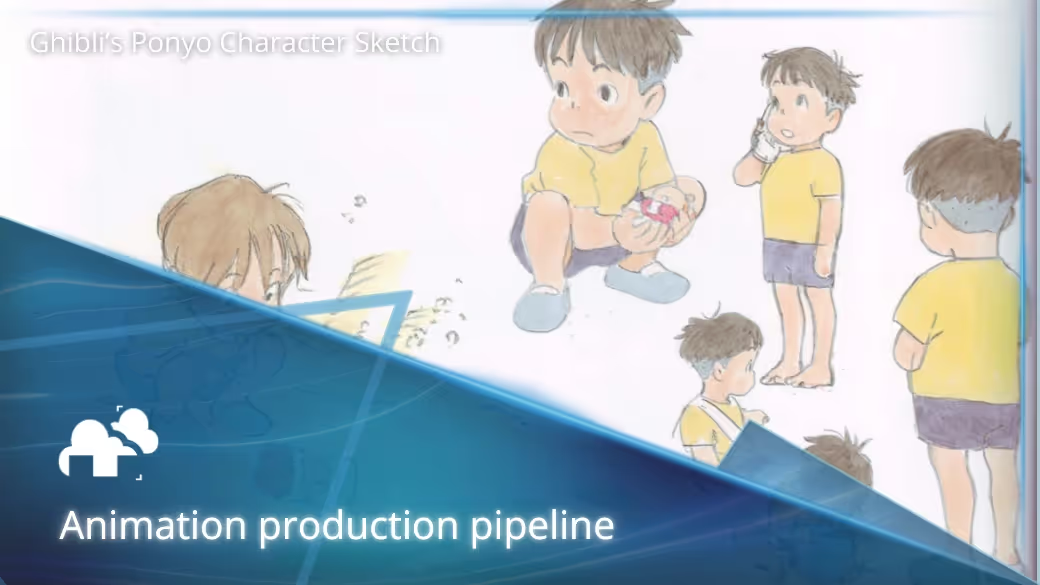
For a broader look at everything from preproduction through final delivery, see our guide to the animation production pipeline.
Preproduction and visual development
During visual development, artists may create rendered style frames to establish the visual direction of the project.
These can help teams decide on:
- lighting
- color
- materials
- atmosphere
- level of realism
- depth of field
- effects
- overall rendering style
These early decisions matter because a visual direction that looks impressive in a single still may be much more expensive when it has to be reproduced across thousands of 3D animation frames.
Production and test renders
As animation, lighting, effects, and materials develop, test renders help show how all of those elements work together.
A viewport can tell you whether motion and camera timing are correct, but a rendered frame may reveal problems that are difficult to judge before shading and lighting are calculated.
These might include:
- unexpected reflections
- heavy noise
- incorrect textures
- clipping
- excessive depth of field
- overly dark shadows
- simulation problems
- unexpectedly long render times
For animation jobs submitted through our Blender workflow, we recommend testing about 20 frames distributed across the range rather than relying on one frame alone.
For example, a range such as 1to200s20 renders every twentieth frame. This gives a much better picture of how scene complexity changes through the animation and provides a more useful basis for estimating the full job. See the full process in our Blender rendering documentation.
Final rendering and postproduction
Once a shot is approved, it can move to final rendering at the required resolution and quality settings.
Those rendered frames may then be passed into compositing, where artists combine layers or passes, adjust colors, refine effects, and integrate the shot into the rest of the production.
Keeping these stages separate is important. Rendering does not always need to solve every visual problem permanently.
For example, some elements can be isolated so they can be adjusted later without forcing the entire shot to be rendered again.
That approach became useful on a Mustang commercial created by Aparato. Some scenes involved very large numbers of cars, including one with roughly 800 vehicles. For shots where the hangar environment had already been approved but the car still needed iteration, the team rendered the environment separately so they could continue revising the vehicle without repeatedly processing the whole scene.
You can read the full Aparato animation and VFX case study.
Preview rendering and final rendering
Producing every working version of an animation at full quality would waste both time and computing resources.
Animation teams therefore work with several levels of preview before committing to the final render.
Viewport previews
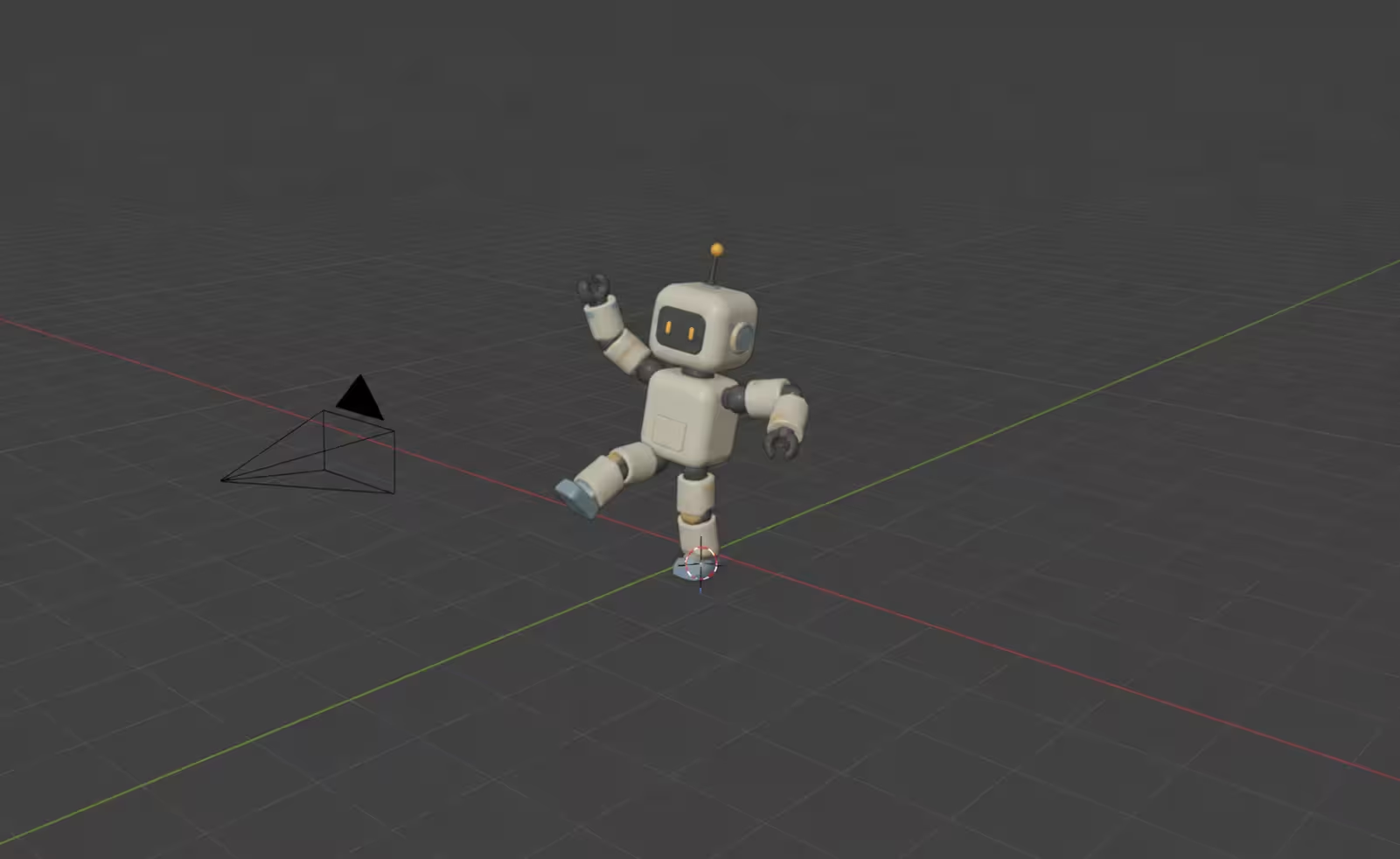
Viewport previews are useful for checking:
- motion
- posing
- staging
- framing
- camera movement
- timing
- basic lighting
The goal is speed rather than finished image quality.
Simplified materials, reduced effects, lower-resolution shadows, or basic lighting may be used so the scene remains interactive.
Playblasts
Mush's Playblast | wintuh 3D animations - by wintuh
A playblast creates a quick video preview of the animated scene.
Directors, clients, and animators can use it to review timing and performance without waiting for full rendering.
This is especially useful because there is little value in spending hours rendering a shot that still needs an animation or camera change.
Final quality frames
Final rendering uses the approved materials, lighting, effects, output resolution, samples, and other production settings.
The difference between preview and final rendering can be substantial.
A viewport may update in real time while a production-quality frame takes minutes or hours to calculate.
That is why animation rendering needs a progression from quick feedback to expensive final output rather than treating every iteration as a finished render.
Common rendering methods in animation
The rendering method depends on the visual target, available hardware, renderer, production schedule, and type of animation.
Realtime and Offline Rendering Explained - by the lemon
Offline rendering
Offline rendering allows the computer to spend more time calculating each frame.
This approach is commonly used for animation, VFX, commercials, cinematic sequences, and other work where final image quality matters more than immediate playback.
Ray tracing and path tracing can produce detailed reflections, indirect illumination, shadows, transparency, and other realistic light interactions, although higher-quality calculations can increase render time.
Real-time rendering
Real-time rendering generates images quickly enough for immediate playback.
It is central to games and interactive applications, but it is also used for previsualization, virtual production, motion graphics, and some animation workflows.
Its biggest advantage during production is immediate feedback.
Artists can see lighting, cameras, and scene changes without waiting for a conventional offline render.
Stylized rendering
Making 3D animation look painterly (it's easier than you think) - by Cody Gindy
Not every animation is trying to reproduce physical realism.
Stylized rendering may use:
- flat colors
- simplified lighting
- outlines
- hand-painted textures
- deliberately exaggerated shadows
- non-photorealistic shading
- graphic or painterly treatments
The same principle still applies: those artistic decisions must remain visually consistent throughout the animation rather than looking good only in isolated frames.
What affects animation render time
Animation render time is determined by the interaction between scene complexity, image quality, hardware, renderer, effects, resolution, and total frame count.
The important part is that most of these costs repeat across the sequence.
Scene complexity
Dense geometry, subdivision, crowds, hair, fur, particles, large environments, and heavy assets can increase both processing time and memory requirements.
Animation can make this harder because complexity may vary from frame to frame.
A camera might begin in a relatively simple part of the scene before moving into a dense environment later in the sequence.
This is another reason representative frame testing is more useful than testing frame 1 and assuming the rest of the animation will behave the same way.
Lighting and materials
Multiple light sources, indirect illumination, glossy reflections, transparency, subsurface effects, displacement, and complex shaders can all increase calculation time.
Aparato experienced this variation directly during the Mustang project. Some shots were relatively quick, while others became much more demanding because of scene complexity and the number of cars that had to be shown. Late changes also meant certain shots needed to be rendered several times.
That is a common reality of animation production: the expensive part is not always the first final render. Revisions can create another round of rendering after a shot appears finished.
Effects and simulations
Smoke, fluids, cloth, particles, destruction, and similar effects can increase both render time and project complexity.
They should normally be cached or baked before distributed rendering so that each frame uses the same simulation data.
Otherwise, the sequence may contain inconsistencies even if individual frames look correct.
Resolution and frame count
Higher resolutions require more pixel calculations.
Longer animations require more frames.
Higher frame rates increase that number further.
For example, a 30-second animation contains:
- 720 frames at 24 fps
- 900 frames at 30 fps
- 1,800 frames at 60 fps
So when asking how many frames are in a 30-second animation, the answer depends directly on the chosen frame rate.
This also shows why render time should be estimated using both time per frame and total frame count, not one or the other.
Why animation is usually rendered as an image sequence
A common animation rendering workflow is to output individual images rather than rendering the whole sequence directly into a single video file.
An animation image sequence might contain files such as:
frame_0001.exrframe_0002.exrframe_0003.exr
and so on.
This has several practical advantages.
If the render stops halfway through, the completed frames are still usable.
If one frame fails, only that frame needs to be rendered again.
If a change affects frames 500 to 550, the entire animation does not necessarily need to be re-rendered.
Image sequences also fit naturally into compositing pipelines, where artists may need high-dynamic-range formats such as EXR and access to separate render data.
For long animations, this is much safer than tying the success of the entire render to one video file.
The role of render farms in animation

The basic reason a render farm is useful for animation is that individual frames can often be processed independently.
Instead of one workstation rendering frame 1, then frame 2, then frame 3 in sequence, many machines can work on different frames at the same time.
That changes the problem from:
How fast can one machine render thousands of frames?
to:
How many of those frames can be processed in parallel?
If you want a deeper explanation of the technology itself, see our guide to what a render farm is and how it works.
Faster sequence rendering
Animation is particularly suitable for distributed rendering because a sequence usually contains many independent frames.
One example rendered with us was Jonathan Irwin's animated short Robert the Robot. Using V-Ray and 3ds Max, a render that would have taken about 25 hours on his own machine completed in around two hours on the farm at a low-priority setting. His workstation also remained available while the frames were being processed.
You can see more about the project in our Robert the Robot animation case study.
More time for creative work
Freeing the artist's workstation is easy to overlook.
Rendering an animation locally can occupy a machine for hours or days. During that time, the same workstation may be unavailable for:
- lighting adjustments
- animation changes
- scene preparation
- new shots
- client revisions
- compositing work
Moving the rendering workload elsewhere lets production continue while the approved frames are being processed.
Flexible computing capacity
Studios rarely need the same amount of rendering power every day.
A project may spend weeks in modeling and animation before suddenly requiring large amounts of computing power close to delivery.
Cloud rendering allows that capacity to scale for the period when it is actually needed rather than forcing a studio to maintain enough local hardware for its busiest possible week.
Support for revisions
Revisions are one of the biggest reasons animation rendering schedules are difficult to predict.
A lighting change, updated product, animation fix, new camera move, or client request can send a previously completed shot back to rendering.
The Aparato team described this on its Mustang work, where some shots had to be rendered multiple times following late changes. The studio already knew on some projects that local machines alone would not be enough to meet the deadline.
That is why rendering capacity is not only about finishing the first version. It also determines how much room a production has to respond when the first version is no longer the final one.
Preparing an animation for rendering
A reliable final render starts before the first frame is submitted.
Missing assets, incorrect frame ranges, uncached simulations, incompatible plug-ins, and wrong output settings can turn into hundreds of bad or missing frames.
Organize assets

Textures, linked files, external models, fonts, caches, and other dependencies should be available to the machines doing the rendering.
Unused files can also be removed where practical.
A project that opens correctly on the artist's computer may still fail elsewhere if an important file exists only in a local folder that was never included with the scene.
Cache simulations
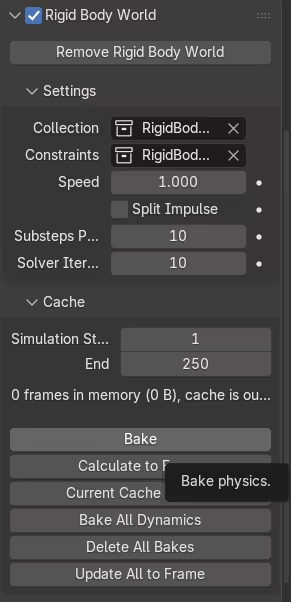
Physics-based simulations should normally be cached or baked before final rendering.
This is particularly important for:
- cloth
- smoke
- fire
- fluids
- particles
- rigid-body simulations
Distributed machines need to read the same underlying simulation result.
If each machine calculates the simulation independently, neighboring frames may no longer match.
Test representative frames
This is one of the most important steps in an animation rendering workflow.
Do not judge the whole animation from one easy frame.
Test frames from different points in the sequence, especially where:
- the camera enters another environment
- more objects become visible
- effects become active
- lighting changes
- geometry becomes denser
- reflections increase
- characters move close to the camera
Our Blender workflow recommends approximately 20 test frames spread through an animation before the full job. The purpose is not only to catch errors but also to get a better estimate of the total rendering cost and time.
Confirm the frame range
Before launching the final render, verify:
- start frame
- end frame
- frame step
- active camera
- resolution
- output format
- output path
- color settings
A wrong frame range or camera selection can produce hundreds of perfectly rendered frames that are completely unusable.
Common rendering problems in animation
Rendering problems in animation are often harder to spot than problems in still images because a frame can look correct by itself while still looking wrong when played beside neighboring frames.
Flickering and noise
Frame-to-frame consistency is one of the major challenges unique to animation rendering.
Noise that seems harmless in a still image can become obvious flickering once the frames begin moving.
Possible causes include:
- insufficient sampling
- unstable global illumination
- inconsistent denoising
- procedural textures changing unexpectedly
- simulation differences
- unstable lighting
This is why consecutive frames should be reviewed as motion rather than checking only isolated stills.
The goal is not simply for every frame to look good.
The frames also need to look like they belong to the same continuous shot.
Missing assets
Missing textures, caches, linked models, plug-ins, or other dependencies can cause a scene to render differently outside the original workstation.
Packaging and testing the project before starting the complete sequence can prevent this from affecting hundreds of frames.
Failed frames
Individual frames may fail because of:
- insufficient memory
- software crashes
- unusually heavy geometry
- corrupted assets
- rendering errors
This is another advantage of working with an image sequence. A failed frame can usually be identified and rendered again without restarting the entire animation.
Color differences
Color management needs to remain consistent between rendering, compositing, editing, and delivery.
Incorrect settings can make an animation look darker, brighter, flatter, or more saturated than expected when it reaches another stage of the pipeline.
For animation, consistency matters just as much as absolute appearance. A change in color interpretation between shots can be immediately visible once the sequence is edited together.
Final thoughts
The role of rendering in animation goes far beyond turning a scene into a pretty image.

Rendering has to produce hundreds or thousands of finished frames while preserving visual quality, continuity, predictable output, and enough flexibility for revisions.
That is what makes 3D animation rendering different from rendering a single still.
Frame count multiplies small inefficiencies. Motion exposes problems that cannot be seen in one image. Effects and simulations need to remain consistent. Late changes may require only part of a sequence to be processed again. And the available computing capacity can determine whether there is enough time left for another creative iteration before delivery.
The most reliable animation rendering workflows account for those realities early.
Test representative frames. Check the sequence in motion. Cache simulations. Keep assets organized. Render to recoverable image sequences. Estimate the job using realistic frames rather than the easiest one in the project.
Rendering works best when it is treated as part of animation production from the beginning, not simply as the button pressed after everything else is finished.
Register Now and Get $50 FREE Credits!