Inverse kinematics, usually shortened to IK, is one of the most useful techniques in 3D rigging and animation. In an inverse kinematics animation workflow, instead of rotating every joint in a chain one by one, an animator can move a target and let the IK solver calculate how the connected bones should respond. Instead of rotating every joint in a chain one by one, an animator can move a target and let the IK solver calculate how the connected bones should respond.
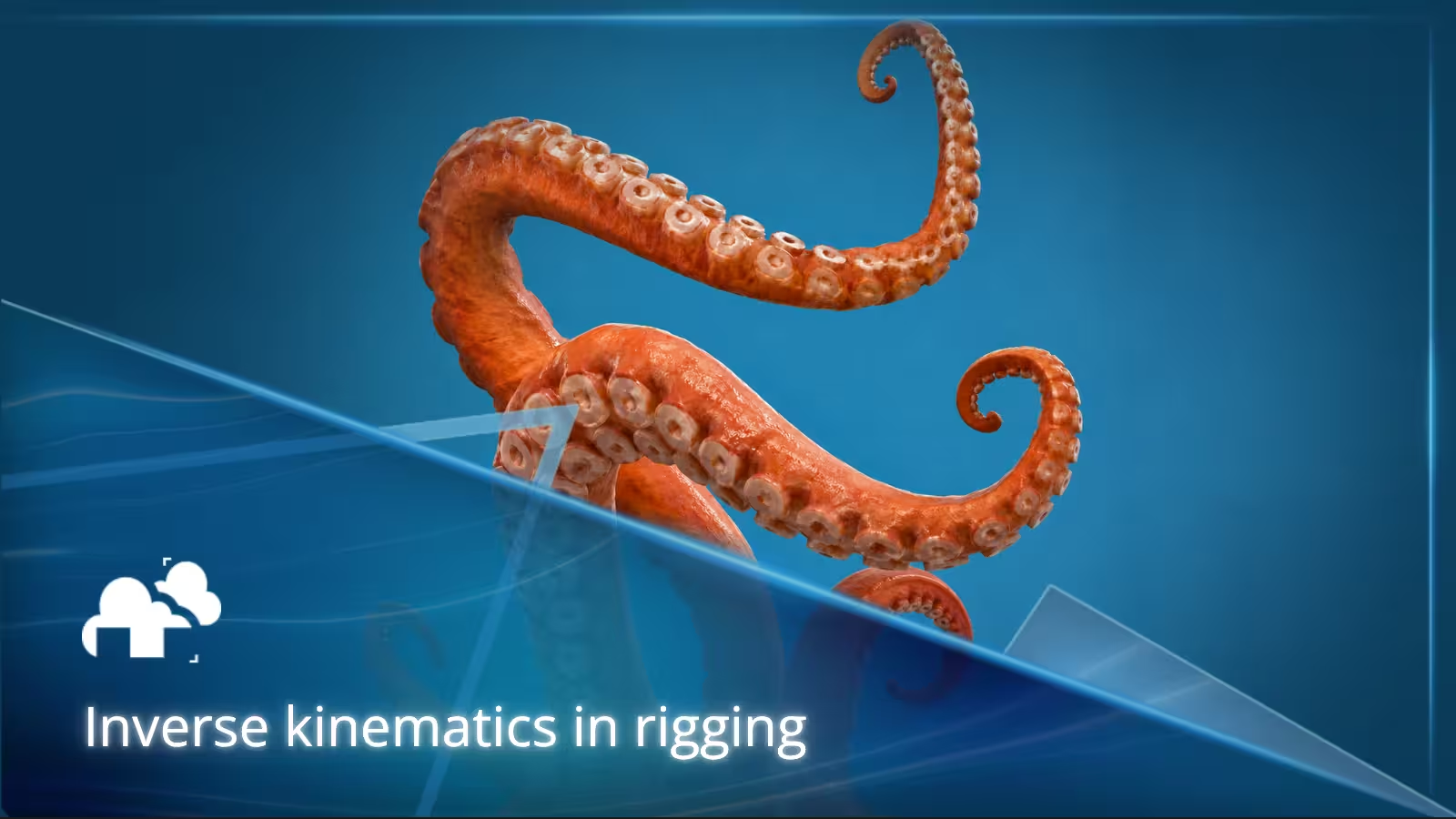
That basic idea makes IK useful for far more than human arms and legs. The same approach can help control quadrupeds, tails, tentacles, snakes, robotic arms, cranes, cables, hoses, and other structures where several connected parts need to reach or follow a target.
This guide looks at how an IK system works, where inverse kinematics is most useful, when spline IK makes more sense than a standard IK chain, and some of the common problems that appear when building IK rigs.
Key takeaways
- Inverse kinematics calculates the movement of a bone chain from the position of a target or end effector.
- A typical IK system includes an IK chain, target, solver, and often a pole target or other directional controls.
- Standard IK works well for limbs, robotic arms, and other articulated structures that need precise endpoint placement.
- Spline IK is usually better for long, flexible structures such as tails, tentacles, snakes, ropes, and cables.
- IK and FK solve different animation problems, which is why many production rigs support both.
- Joint limits, sensible control placement, and early testing help prevent flipping, twisting, stretching, and unstable poses.
- A smaller set of well-designed IK controls is usually more useful than a rig filled with controls for every possible adjustment.
TL;DR
Inverse kinematics lets an animator position the end of a joint or bone chain while an IK solver calculates the rotations needed in the connected joints.
For example, placing a character's foot on the floor can automatically reposition the knee and upper leg. Moving the gripper of a robotic arm can rotate the mechanical joints behind it. With spline IK, a curve can instead guide a longer chain such as a tail, tentacle, snake, or cable.
The best method depends on what needs to move. Standard IK is useful when endpoint position matters. Spline IK works better when the overall curve of a long structure matters. FK is often preferable for free-swinging arcs and motions where direct rotational control is more important.
What is inverse kinematics?
Inverse kinematics is a method used in rigging and animation to calculate the rotations of connected joints based on a desired endpoint position. In inverse kinematics animation, the animator controls that endpoint directly while the IK solver determines how the rest of the joint chain needs to move.
The endpoint is often called the IK target or end effector. Instead of beginning at the root of a chain and rotating each joint until the endpoint reaches the right position, the animator moves the target directly. The IK solver then works backward through the chain and calculates how the joints need to rotate.
A simple arm illustrates the difference.
With forward kinematics, or FK, you might rotate the shoulder, then the elbow, then the wrist until the hand reaches the desired position.
With IK, you move the hand control to the desired position and the IK system determines how the upper arm and forearm should rotate to place the hand there.
That makes inverse kinematics particularly useful whenever something needs to make contact with a specific point, such as:
- a foot staying planted on the floor
- a hand gripping an object
- a character climbing a ladder
- an animal placing a paw or hoof
- a robotic arm reaching a component
- a mechanical clamp following a target
IK is only one part of a larger rigging workflow. If you are looking at how bones, skinning, controllers, and constraints work together, you can check out our guide to character rigging in 3D animation.
How does an IK system work?
Although implementations differ between Blender, Maya, 3ds Max, Cinema 4D, game engines, and other animation tools, most IK systems contain a few familiar parts.
IK chain
The IK chain is the group of connected bones or joints affected by the solver.
For a human leg, the chain might include the upper leg and lower leg. For a robotic arm, it might contain several rotating segments. For a creature appendage, it can involve many more bones.
Chain length matters because the solver needs to know which joints it is allowed to change.
IK target
The IK target defines where the end of the chain should try to reach.
Move a foot target and the leg follows. Move the target attached to a robotic gripper and the joints behind the gripper respond.
The target does not necessarily have to be part of the visible model. In most rigs it is represented by an animator-friendly controller.
IK solver
The IK solver is the part of the IK system that calculates how the joints should rotate.
Its job sounds simple, but several possible joint configurations may place an endpoint at the same position. The solver therefore works together with joint limits, preferred angles, pole controls, and other rig settings to produce a predictable result.
Pole target
Limbs often need an additional control to determine the direction of a bend.
For example, moving a foot tells an IK solver where the ankle should be, but it does not necessarily tell the solver which direction the knee should point. An IK pole target, often called a pole vector or pole control, provides that direction.
Pole targets are commonly used for:
- knees
- elbows
- mechanical hinges
- other two-bone chains with a preferred bend direction
Poor pole target placement is also one of the most common causes of IK flipping.
Joint limits and constraints
An IK solver can mathematically produce a pose that would be impossible for the object being animated.
A human knee should not suddenly bend backward. A piston cannot rotate like a shoulder. A robotic arm may only have a limited range of rotation around each axis.
IK constraints and joint limits keep the solver within useful ranges and make the resulting motion easier to control.
Why IK is useful for flexible bone chains
Inverse kinematics is particularly valuable when a rig contains several connected bones and the animator cares more about the result at the end of the chain than the exact rotation of every joint along the way.
A two-bone arm is the simplest example, but the principle can extend to much longer structures.
The challenge is that a standard IK solver is not always the best solution for a long chain. A tail with twenty bones, for example, needs to form smooth arcs rather than simply point toward an endpoint.
This is where spline IK becomes useful.
What is spline IK?
Spline IK uses a curve to control a chain of bones.
Rather than solving a chain toward a single endpoint, the bones follow the shape of a spline. Controls placed along that curve can then change the broad shape of the entire structure.
This works particularly well for:
- tails
- tentacles
- trunks
- snakes
- long necks
- tongues
- ropes
- cables
- hoses
- stylized hair sections
A spline IK rig might use one control near the root, another through the middle, and another at the tip. Those few controls can create large curves, coils, waves, and directional changes without requiring the animator to rotate every bone separately.
Standard IK and spline IK therefore solve somewhat different problems.
Standard IK is usually better when the endpoint needs to reach a precise location.
Spline IK is usually better when the overall shape of a long chain needs to remain smooth and controllable.
Rigging arms and legs
Arms and legs remain the most familiar inverse kinematics examples because they show exactly why endpoint control is useful.
For a leg, the animator can place an IK foot control on the floor while the solver adjusts the knee and upper leg. When the body moves, the foot can remain planted instead of sliding with the rest of the character.
A typical leg rig may include:
- foot IK control
- knee pole target
- heel control
- toe and ball controls
- foot roll
- stretch limits
- IK/FK switching
The same principle applies to arms. A hand can remain attached to a table, steering wheel, railing, weapon, or other prop while the character's upper body continues moving.
Use case keyword placement
This makes inverse kinematics animation especially useful for actions involving contact, including walking, crouching, climbing, pushing, pulling, reaching, and carrying objects.
In procedural animation or real-time character systems, the same idea can also be used to adapt foot placement to stairs, slopes, or uneven terrain. The animation provides the general movement, while procedural IK adjusts the feet to match the surface.
A practical quadruped IK example
We ran into a useful example while building a walking horse in Blender with Rigify Animbox.
The generated walk cycle worked, but the horse's front feet initially sat too far apart. Rather than rebuilding the animation, the foot IK controllers could be adjusted directly through their location curves in Blender's F-curve editor.
Moving the curve changed the position of the foot while the rest of the leg continued to follow the rig.
It is a small adjustment, but it shows why quadruped inverse kinematics is useful in practice. An animator does not necessarily need to rebuild the entire leg motion to correct the position of a paw, hoof, or foot.
The same workflow also highlights another common production problem: foot sliding. In the horse shot, adjusting the character's forward movement helped bring the travel speed closer to the pace of the walk cycle.
That relationship between IK foot placement and root movement is worth checking whenever a character appears to skate across the ground.
Animating tails, tentacles, and trunks
Tails, tentacles, and trunks present a different IK rigging problem.
They may contain far more joints than a human limb, and their movement depends heavily on smooth curves. A standard endpoint-driven IK chain can become difficult to control because moving one target does not necessarily produce the broad shape the animator wants.
Spline IK is often a better starting point.
A useful setup might include:
- a root control for the base
- one or more middle controls for the overall curve
- a tip control for precise placement
- twist controls
- stretch limits
- optional secondary controls for close-up poses
A tail may need broad sweeping arcs and delayed motion. A tentacle might need to wrap around an object while keeping its tip precisely positioned. A trunk might need both broad bends and finer control near the end.
The IK system should match those differences rather than treating every flexible chain in exactly the same way.
One useful rule is to begin with the fewest controls that can produce the required poses. More controls can always be added where the animator actually needs them.
Robot arm inverse kinematics and articulated machinery
Robot arm inverse kinematics uses the same underlying idea as character IK, but mechanical rigs usually require stricter limits.
If an animator moves the gripper at the end of a robot arm, an IK solver can calculate how the connected segments need to rotate to reach the target.
This can be useful for:
- industrial robot arms
- cranes
- excavator arms
- folding mechanisms
- mechanical claws
- pistons
- articulated supports
- sci-fi machinery
Mechanical IK rigs often benefit from precise rotation limits because every joint has a physical range.
A human character can sometimes tolerate a slightly imperfect elbow pose. A mechanical assembly tends to expose mistakes immediately. If a hinge begins rotating on an impossible axis or a piston changes length incorrectly, the problem becomes obvious.
For this reason, mechanical IK setups often combine an IK solver with:
- locked rotation axes
- minimum and maximum rotation values
- parent constraints
- aim or tracking constraints
- driven components
- sliding controls
It is also worth testing the mechanism near its maximum reach. IK solver problems often appear when a chain becomes nearly straight, where several possible joint configurations can produce very similar endpoint positions.
Rigging mechanical arms and articulated machinery
Robot arm inverse kinematics uses the same underlying idea as character IK, but mechanical rigs usually require stricter limits.
If an animator moves the gripper at the end of a robot arm, an IK solver can calculate how the connected segments need to rotate to reach the target.
This can be useful for:
- industrial robot arms
- cranes
- excavator arms
- folding mechanisms
- mechanical claws
- pistons
- articulated supports
- sci-fi machinery
Mechanical IK rigs often benefit from precise rotation limits because every joint has a physical range.
A human character can sometimes tolerate a slightly imperfect elbow pose. A mechanical assembly tends to expose mistakes immediately. If a hinge begins rotating on an impossible axis or a piston changes length incorrectly, the problem becomes obvious.
For this reason, mechanical IK setups often combine an IK solver with:
- locked rotation axes
- minimum and maximum rotation values
- parent constraints
- aim or tracking constraints
- driven components
- sliding controls
It is also worth testing the mechanism near its maximum reach. IK solver problems often appear when a chain becomes nearly straight, where several possible joint configurations can produce very similar endpoint positions.
Rigging antennae, feelers, whiskers, fins, and decorative appendages
Not every flexible appendage needs a complicated IK system.
Antennae, feelers, whiskers, flexible fins, horns, and decorative character elements may only require a short IK chain or a small spline.
The goal is usually silhouette control rather than precise mechanical positioning.
A simple tip control can be enough for an antenna that needs to point toward something. A short spline IK setup may be better when the entire antenna needs a smooth bend.
These secondary elements also benefit from restraint. Adding a separate control to every bone may technically provide more freedom, but it can make the rig slower to pose.
Broad controls should establish the main shape. Smaller controls are most useful where they solve a specific animation problem.
Animating ropes, cables, and chains
Ropes and cables are another useful inverse kinematics application, particularly when their endpoints need to remain attached to moving objects.
Imagine a cable connecting two moving pieces of machinery. Both ends need to stay connected, but the middle of the cable still needs enough freedom to sag, swing, or form loops.
A spline-based IK setup can give the animator control over the broad curve while keeping the endpoints constrained.
This approach can work for:
- power cables
- hoses
- ropes
- flexible pipes
- hanging wires
- chains with controlled movement
- stylized cords
IK is not automatically the best option for every rope or cable. If physically accurate swinging, collisions, or large amounts of secondary movement are important, simulation may be more appropriate.
A hybrid workflow can also work well. Simulation can generate the broad physical motion, while rig controls provide art direction or corrections where needed.
Animating snakes and serpentine bodies
A snake rig has to maintain a continuous form while allowing movement to travel through a long body.
Rotating every individual bone with FK can provide a lot of control, but it also becomes cumbersome when the rig contains dozens of joints.
Snake IK, usually built around spline IK or a similar curve-driven system, allows the animator to shape larger sections of the body at once.
Controls can be divided between:
- head
- front body
- middle body
- rear body
- tail
That gives the animator enough control to create slithering, coils, raised poses, turns, and waves without manipulating every joint individually.
For a ground-based snake, the IK or spline controls may also be combined with surface constraints or additional deformation tools to keep the body from passing through the ground.
The exact setup depends heavily on the shot. A close-up snake wrapping around an object may need more local controls than one moving through the background.
Choosing between IK vs FK
The difference between IK and FK comes down to what the animator needs to control directly.
With inverse kinematics, the animator usually controls the endpoint and lets the solver calculate the joint rotations.
With forward kinematics, the animator rotates joints from the parent down through the hierarchy.
IK (Inverse Kinematics) works especially well for:
- planted feet
- hands touching surfaces
- climbing
- grabbing objects
- robot arms
- mechanical chains
- precise endpoint placement
FK (Forward Kinematics) works especially well for:
- free-swinging arms
- broad arcs
- overlapping motion
- tails that need individually directed rotation
- stylized secondary animation
- movements where rotational flow matters more than endpoint position
There is no need to treat IK vs FK as an either-or decision. Many production rigs include an IK/FK switch, allowing the animator to choose the most appropriate system for each part of a shot.
An arm, for example, may animate mostly in FK during a wide swing and then switch to IK when the hand needs to land on a table.
The challenge is making the IK/FK switch without a visible pop. Good rigs therefore include matching or snapping tools that align the IK controls with the current FK pose, or vice versa, before switching.
For a broader look at how these systems fit into bone-based animation, see our guide to skeletal animation.
Controlling hair with FK
Large braids, ponytails, and thick stylized hair sections do not always need IK.
FK often works well when the animator wants direct control over the rotational flow of the hair from root to tip. It is particularly useful for carefully shaped arcs and overlapping action because each joint follows the rotation of the joint above it.
Physics or simulation may provide more natural secondary movement for some hairstyles, but FK gives the animator predictable art direction.
For hero shots, a hybrid setup is often useful: FK controls establish the intended pose while simulation or additional controls add secondary motion.
Using damped track constraints as another option
An IK solver is not the only way to make a chain follow a target.
For simpler rigs, tracking constraints can sometimes produce the required motion with less setup.
A damped track constraint, for example, rotates a bone toward a target without solving an entire IK chain. Multiple constrained bones can produce simple directional bending and follow-through.
This approach may work for:
- fish bodies
- simple tails
- eye stalks
- short antennae
- lightweight secondary appendages
It is especially useful when the main requirement is direction rather than precise endpoint placement.
The right tool depends on what the rig actually has to do. An IK system should solve an animation problem, not simply be added because IK is available.
Common problems with flexible IK setups
Inverse kinematics removes a lot of repetitive posing work, but it introduces its own failure points.
Testing those problems during rigging is much easier than discovering them in the middle of animation.
Unwanted twisting
IK twisting can come from inconsistent bone orientation, badly placed controls, curve tilt, or solver settings.
Long chains are especially vulnerable because small orientation differences can accumulate along the rig.
Test the chain in:
- a straight pose
- broad curves
- tight curves
- extreme reach
- reversed directions
Consistent bone axes and clear twist controls make spline IK rigs much easier to predict.
IK flipping
An IK chain can suddenly flip when the solver becomes uncertain about which direction a joint should bend.
This is common in arms and legs when:
- the chain becomes almost completely straight
- the pole target is poorly placed
- the pole target crosses the chain
- preferred joint angles are unclear
Moving the pole target farther from the chain often makes its direction easier to control.
For production rigs, test elbows and knees close to full extension before animation begins.
Sharp bends and collapsing forms
A flexible chain may develop visible corners if there are too few joints to describe the required curve.
Controls placed too close together can also create sharp changes in direction.
Adding more bones can produce smoother deformation, but bone count alone is not the solution. The spacing of joints and spline controls matters just as much.
Start with enough joints to describe the shape, then place controls according to where the animator actually needs to influence the curve.
Excessive stretching
Stretching can be useful for stylized animation, but unrestricted IK stretching often makes a structure feel rubbery.
For characters and mechanical rigs, limiting stretch usually produces more believable results.
If stretching is intentionally allowed, volume compensation can help prevent the chain from becoming unnaturally thin as it gets longer.
Too many controls
It is easy to make an IK rig technically powerful but unpleasant to animate.
A tail does not necessarily need a controller for every joint. A tentacle with dozens of visible controls can become harder to pose than the original FK chain.
Start with broad controls for the root, middle, and tip. Add local controls only when they solve a recurring problem.
The animator should spend time creating poses, not hunting through a forest of rig handles.
Unstable endpoints
If a hand, foot, hose, rope, or mechanical attachment appears to slip, inspect how the target and its parent space are configured.
Problems often come from:
- conflicting constraints
- incorrect parenting
- multiple controls driving the same transform
- inappropriate space switching
- targets inheriting movement they should not inherit
Test attachment points while the rest of the rig moves through extreme poses.
A foot control that looks stable while the character is standing still may still drift when the hips translate or rotate.
Building an IK rig that is easier to animate
A technically correct IK setup is not automatically a good animation rig.
The most useful rigs tend to have a few practical qualities.
Give controls a clear purpose
An animator should be able to look at the controls and understand what they influence.
Use larger controls for broad movement and smaller controls for secondary adjustments.
Test real poses, not just neutral poses
A rig that behaves perfectly in its rest position can still fail when pushed into an actual animation pose.
Test:
- maximum reach
- deep bends
- contact poses
- overlapping controls
- extreme rotations
- IK/FK switching
Add limits where they reflect the structure
Joint limits are not only there to stop obvious errors. They help an IK solver find more predictable solutions.
This is particularly important for knees, elbows, hinges, pistons, robotic arms, and other joints with an obvious preferred direction.
Keep the animation workflow in mind
A clever rig is only useful if an animator can use it quickly.
The horse example mentioned earlier is a good illustration. The important part was not how complicated the rig was. It was that the existing IK foot control could be adjusted directly when the pose needed correction.
That kind of accessibility is what makes an IK setup useful in production.
Final thoughts
Inverse kinematics is most useful when the animator needs to control where the end of a connected structure goes without manually rotating every joint behind it.
That makes IK a natural fit for character limbs, quadrupeds, robotic arms, machinery, and other articulated structures where endpoint placement matters.
For long flexible structures, spline IK extends the same basic idea by letting a curve control an entire bone chain. Tails, tentacles, trunks, snakes, ropes, cables, and similar shapes can then be posed with a few broad controls rather than dozens of individual bone rotations.
The right setup depends on the movement.
Use standard IK when a chain needs to reach a target. Use spline IK when a long structure needs a controllable overall curve. Use FK when rotational flow and broad free-moving arcs matter more than endpoint placement. In many production rigs, the best solution is a combination of all three.
Whichever approach you choose, test the rig in difficult poses before animation begins. Good pole placement, sensible joint limits, clear controls, and predictable switching save far more time than adding complexity later.
And once a rigged animation is ready for final frames, complex lighting, motion blur, high samples, hair, effects, and long frame ranges can shift the bottleneck from animation to rendering. For Blender projects like the horse workflow above, those sequences can be submitted directly to our Blender render farm when local rendering becomes the slow part of the process.
Register Now and Get $50 FREE Credits!
-min.avif)