Key takeaways
- Blender procedural animation uses rules, nodes, and mathematical functions to generate movement without manually animating every frame.
- Geometry Nodes, drivers, and simulation tools allow artists to create flexible and reusable animation systems.
- The global 3D animation market is estimated to grow from $26.72 billion in 2025 to $31.49 billion in 2026 (MordorIntelligence).
- Procedural animation is useful for motion graphics, environmental effects, simulations, and scenes with large numbers of animated objects.
- Combining procedural techniques with traditional keyframe animation gives artists greater control over complex movements.
TL;DR
Blender procedural animation allows artists to create dynamic movement using nodes, mathematical functions, and automated rules instead of manually setting every keyframe. Tools such as Geometry Nodes, drivers, and simulation nodes make it possible to animate repeating objects, generate natural movement, and create reusable systems that can be adjusted throughout production. This guide covers how procedural animation works in Blender, the tools needed to get started, a practical animation tutorial, and ways to optimize procedural workflows for larger projects, including using a render farm to handle demanding rendering tasks.
What is procedural animation in Blender?
Imagine animating hundreds of objects moving in different directions, each with its own timing and behavior. Manually creating keyframes for every object would take considerable time, especially if the entire animation needed adjustments later.
Procedural animation offers another approach. Instead of defining every movement individually, artists create a system of rules that determines how objects behave over time. These rules might involve mathematical expressions, object positions, random values, or interactions between elements in a scene.
In Blender, procedural animation can be created using Geometry Nodes, drivers, modifiers, and simulations. These tools allow artists to build flexible systems where changing a few parameters can affect an entire animation.
Procedural animation vs. traditional keyframe animation
Traditional animation relies on keyframes that define an object's properties at specific moments. Blender calculates the movement between those keyframes, giving artists direct control over timing and positioning.
Procedural animation uses rules to calculate movement, making it especially useful when many objects need similar behaviors or continuous motion.
Both methods can work together. An artist might animate a character using keyframes while using procedural systems to control surrounding objects, environmental effects, or secondary movement.
How procedural animation works in Blender
Procedural animation starts with a set of instructions that Blender evaluates to determine how something should move. These instructions can respond to time, position, or other values, allowing motion to change automatically as the scene progresses.
Mathematical functions are especially useful for procedural animation because they can generate predictable or varied movement.
Some commonly used functions include:
- Sine and cosine: Create smooth oscillations, repeating waves, and circular movement.
- Noise: Introduces irregular variations for effects such as shaking, drifting, or organic motion.
- Random values: Give individual objects different positions, rotations, or animation characteristics.
- Map Range: Remaps numerical values to make movement easier to control.
Essential Blender tools for procedural animation
Blender provides several tools for building procedural animations, each suited to different types of movement. Geometry Nodes is particularly versatile, but modifiers and drivers can also handle simpler animation tasks without requiring extensive node networks.
Geometry Nodes
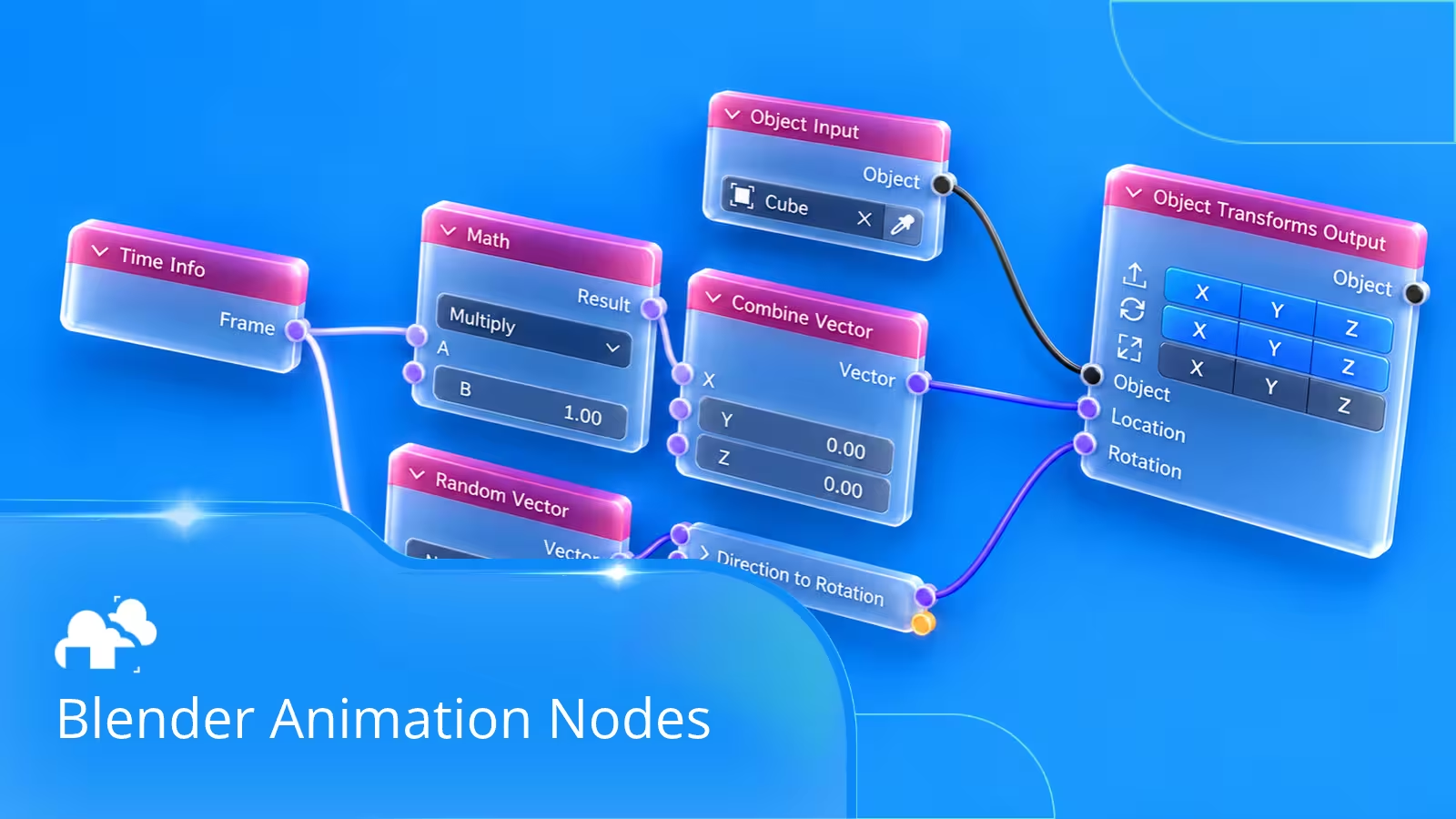
Geometry Nodes allows artists to create systems that control geometry and movement through connected operations. Some useful nodes include:
- Set Position: Changes the positions of geometry.
- Instance on Points: Places repeated objects on points, allowing them to be controlled procedurally.
- Scene Time: Provides the current frame or time in seconds, which can drive animation.
- Noise Texture: Generates values that can be used to introduce variation.
- Math: Performs calculations used to control movement, timing, and other properties.
For example, Scene Time can be connected to a mathematical function that changes an object's position as the timeline advances. The result is continuous animation without manually placing keyframes.
Drivers and modifiers
Drivers allow Blender properties to be controlled through expressions or relationships with other properties. They can be used to synchronize movements, automate rotations, or make one object's behavior depend on another.
Modifiers offer additional options. The Displace modifier can deform a surface, while Array and Curve modifiers can help create repeated geometry or arrangements that can be animated through other controls.
Simulation nodes
Simulation nodes introduce another layer of procedural behavior by allowing information from previous frames to influence subsequent frames.
This is useful for systems where movement depends on what has already happened, such as accumulating motion, interacting objects, or certain physics inspired effects.
Unlike a simple animation based on Scene Time, simulations may need to evaluate earlier frames to calculate the current result. For reliable playback and rendering, these simulations can be baked once the desired behavior is finalized.
How to create a basic procedural animation in Blender
One of the easiest ways to understand procedural animation is to create a simple wave effect. This example uses Geometry Nodes to animate the surface of a subdivided plane, demonstrating how time and mathematical functions can control geometry.
Step 1: Create the base geometry
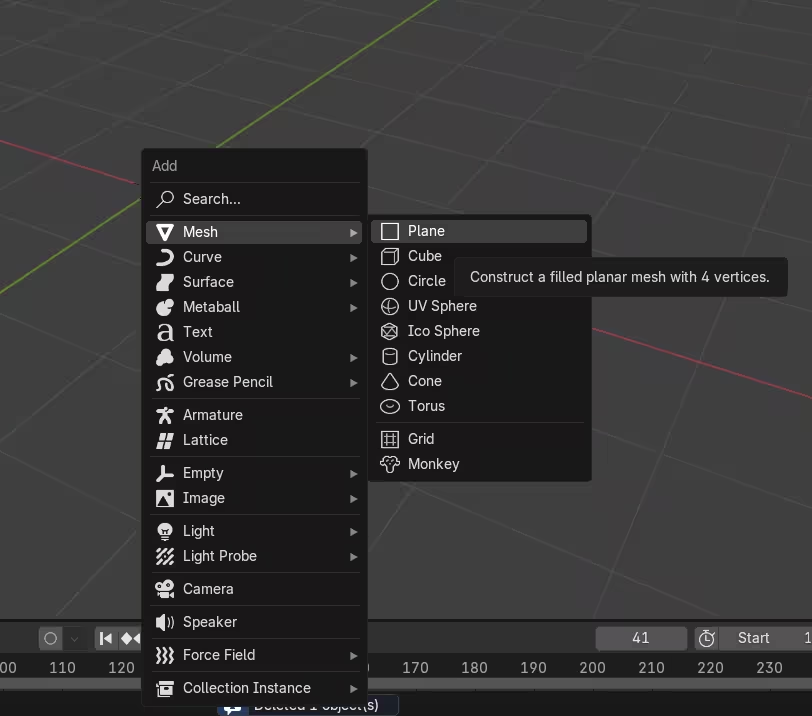
Open Blender, delete the default cube, and add a plane using Shift + A > Mesh > Plane.
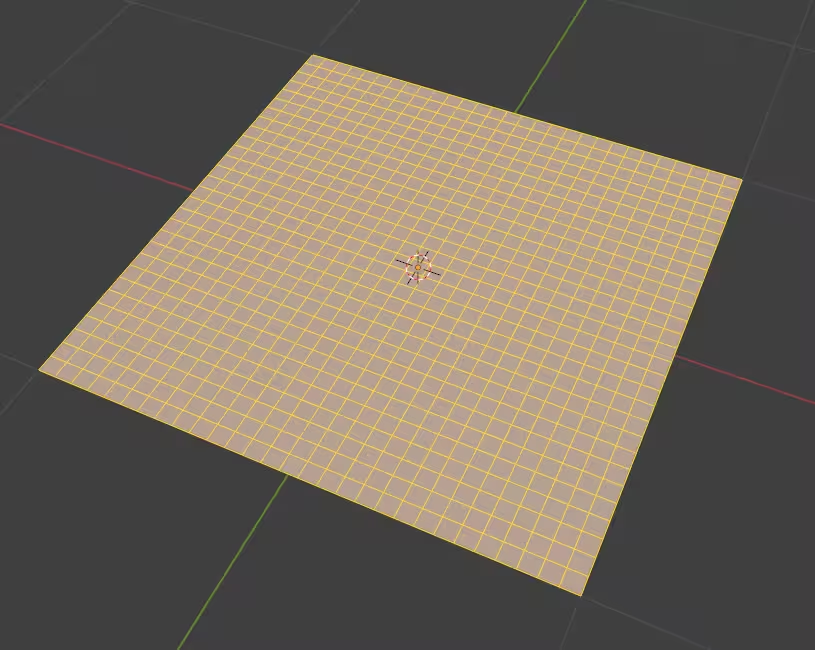
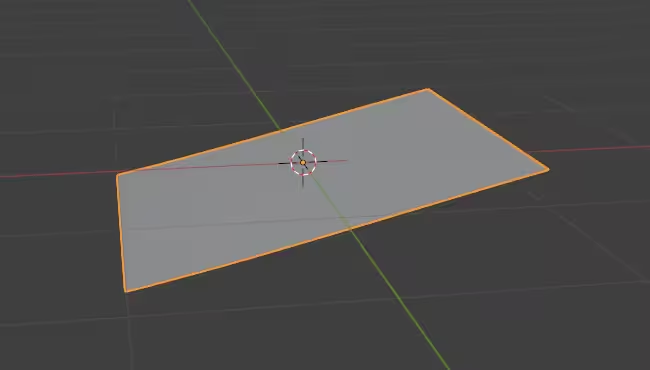
Scale the plane to the desired size, save the scale, and subdivide it several times in Edit Mode. The additional vertices will allow the surface to bend smoothly when the procedural movement is applied. Apply All Transformations with Ctrl + A -> All Transformations.
Step 2: Add the movement controls
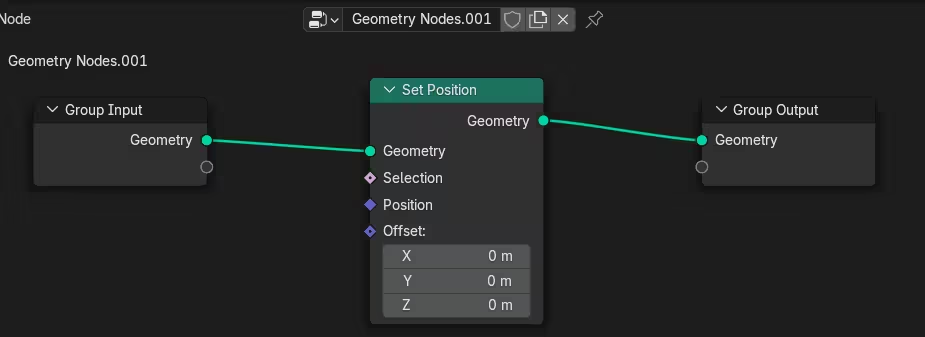
Add a Geometry Nodes modifier from the Modifiers tab and select New to create a node network.Inside the Geometry Nodes editor, add a Set Position node between Group Input and Group Output.
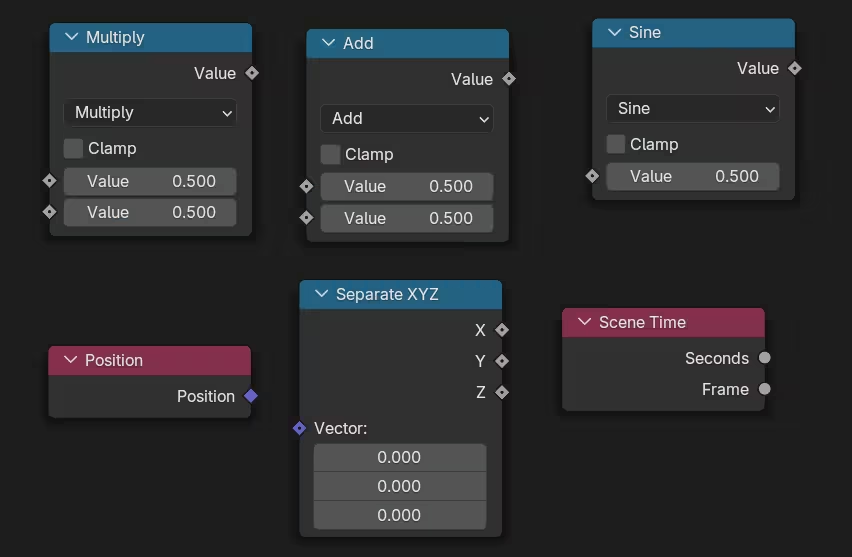
Add the Position and Separate XYZ nodes to retrieve each point's X coordinate. This value will determine where each part of the wave sits along the surface. Then add a Scene Time node, along with Math nodes for Multiply, Add, and Sine.
Step 3: Create the wave movement
Connect the X coordinate to a Multiply node to control the wave's frequency. Use another Multiply node to adjust the Scene Time value, which controls how quickly the wave moves. Add these values together, then connect the result to a Sine node. Multiply the sine output by another value to control the height of the wave.
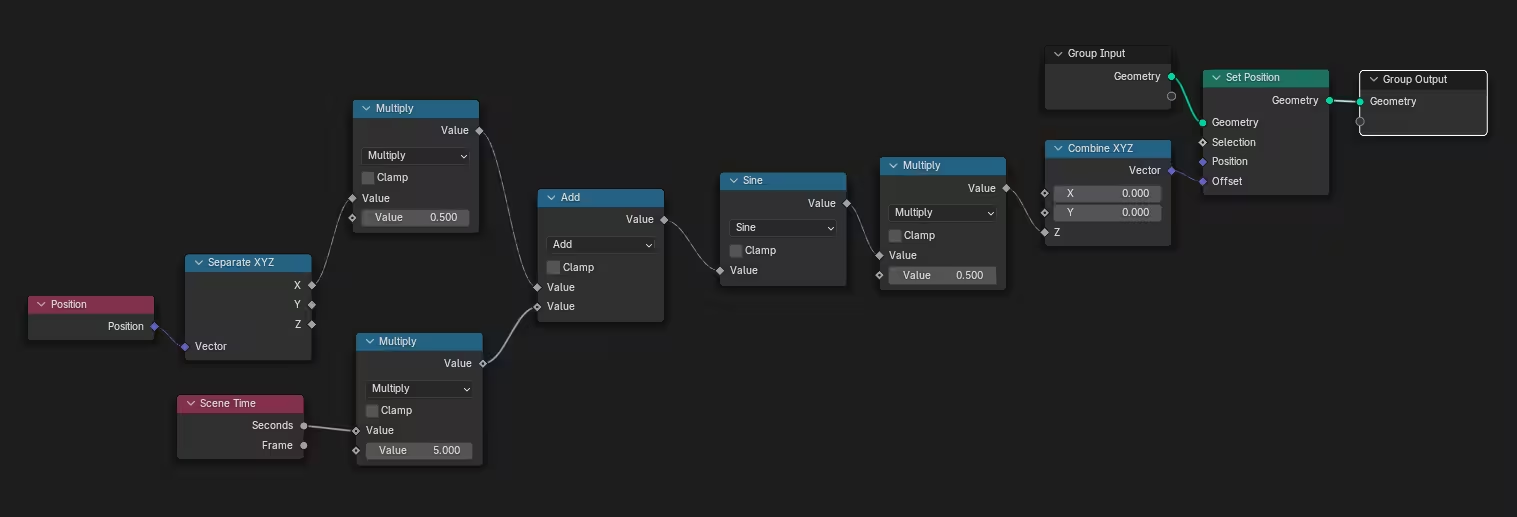
Finally, connect this result to the Z input of a Combine XYZ node, then connect that vector to the Offset input of Set Position. The completed node network will shift the plane's vertices vertically, creating a moving wave as the timeline advances.
Step 4: Customize the animation
Once the animation is working, experiment with the parameters to change its appearance such as:
- Frequency: Increase or decrease the number of waves across the surface.
- Speed: Adjust how quickly the waves move.
- Amplitude: Control the height of the movement.
- Direction: Change which position coordinates influence the wave.
You can also experiment with Noise Texture to introduce more irregular movement. These adjustments demonstrate one of procedural animation's main advantages: an entire animation can change without manually editing individual keyframes.
Practical applications of procedural animation
Procedural animation is used in motion graphics, visual effects, game environments, and product visualization. Its flexibility makes it particularly useful when artists need to control many elements or create movement that follows a consistent set of rules.
Motion graphics and abstract animation - Motion graphics often involve repeated shapes, coordinated transformations, and rhythmic movement. Procedural systems make these effects easier to create because one network can control an entire collection of objects.
Environmental animation and structures - Procedural techniques can create landscapes, structures, and natural movement, such as swaying vegetation, ocean waves, other moving surfaces, and environmental effects. Using noise and mathematical functions, artists can generate variations in movement so that objects do not behave identically.
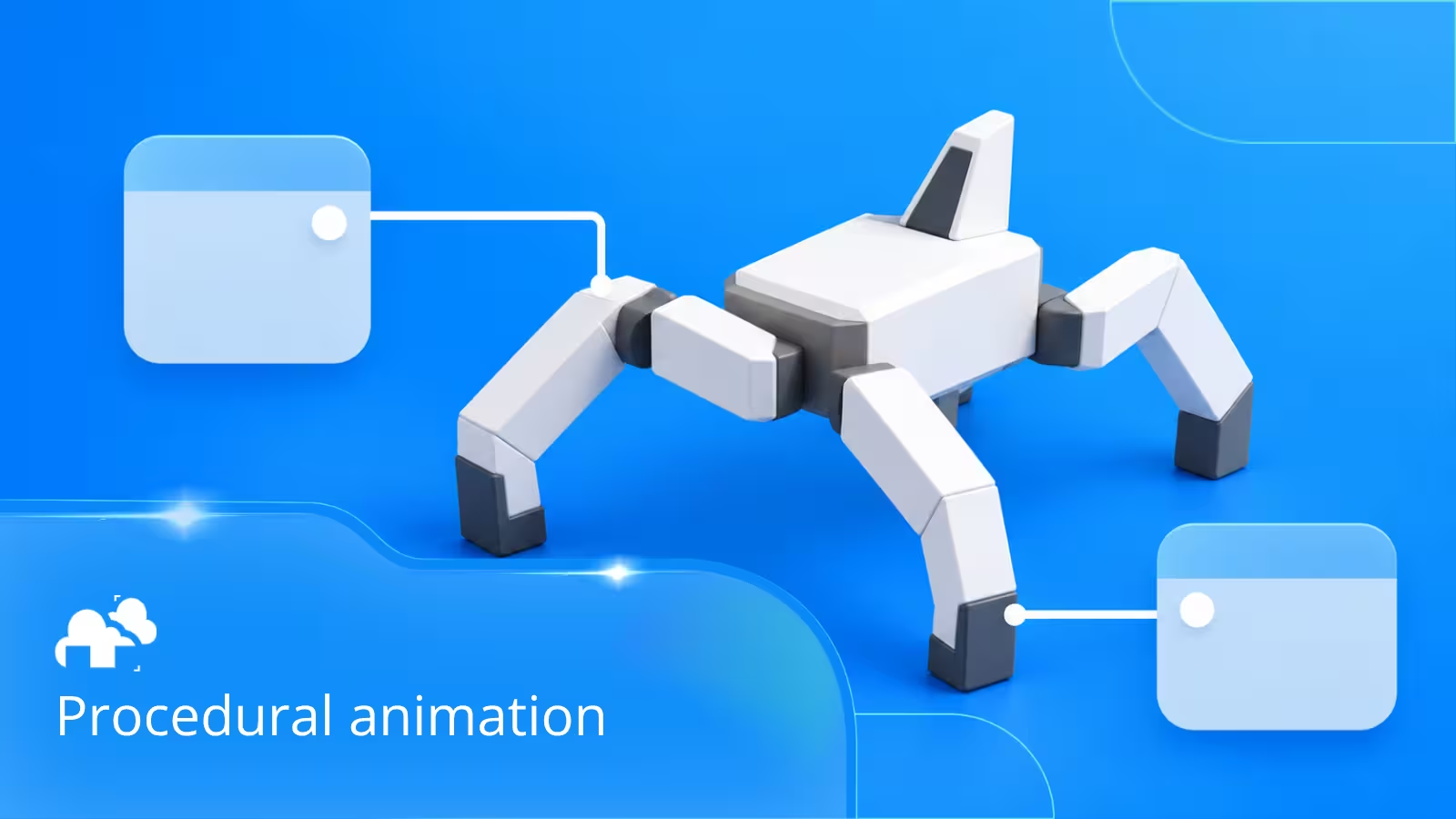
Mechanical Objects - Procedural animation can control the movement of mechanical components such as gears, pistons, robotic arms, and rotating machinery. By using mathematical functions, drivers, and constraints, artists can synchronize connected parts and create consistent mechanical movements without manually animating each component.
Visual effects and simulations - Procedural workflows are particularly valuable in visual effects, where complex geometry and movement may need to be generated or simulated. A real production example comes from VFX artist Georgios Papaioannou, who uses Houdini for procedural effects work (Case study).
"I use Houdini. I really like its procedural architecture and flexibility." - Georgios Papaioannou
For a Lipton Ice Tea commercial featured in a GarageFarm.NET case study, Georgios used Houdini to create fluid effects before transferring the assets to Maya for lighting and rendering.
These benefits become particularly relevant as animation projects grow in complexity. According to Mordor Intelligence, the global 3D animation market is estimated to grow from $26.72 billion in 2025 to $31.49 billion in 2026 (MordorIntelligence). While these figures represent the broader 3D animation industry, they provide context for a field where artists use procedural tools alongside traditional animation methods.
Optimizing procedural animation for better performance
A procedural setup that works smoothly with a small number of objects may become difficult to manage as the scene grows. Keeping node networks organized and reducing unnecessary calculations can help maintain better performance.
Simplify geometry and node networks - Avoid using more geometry than the animation requires. When working with repeated objects, instances can help reduce memory usage compared with creating separate geometry for every element. Organizing related operations into node groups can also make complex systems easier to understand and reuse.
Cache and bake simulations - Some procedural animations are calculated directly from the current frame, while others depend on previous frames. For animations that use simulation nodes, baking stores the calculated results so Blender does not need to simulate the sequence again during rendering. This is particularly important when frames need to be rendered independently or out of sequence.
Using a render farm for procedural animation - Procedural animation can become computationally demanding when a project includes detailed geometry, complex effects, or high resolution rendering. A Blender render farm allows artists to distribute supported rendering tasks across multiple machines, helping reduce the time required to produce a finished animation.
Frequently asked questions about Blender procedural animation
- Can Blender create procedural animation without keyframes? Yes. Blender can generate movement using Geometry Nodes, mathematical functions, drivers, and simulation tools. Scene Time can be used to produce continuous motion without manually placing keyframes.
- Is Geometry Nodes necessary for procedural animation? No. Geometry Nodes is a powerful option, but procedural animation can also be created using drivers, modifiers, constraints, and other Blender tools.
- Can procedural animation be combined with traditional animation? Yes. Procedural systems and keyframes can work together within the same scene. An artist might use keyframes to control the main action while procedural techniques generate secondary movements or environmental effects.
- Is procedural animation difficult for beginners? Basic procedural effects are relatively approachable, especially when starting with simple functions such as sine waves or basic object transformations. More complicated node networks and simulations generally require a stronger understanding of Blender's systems.
- Does procedural animation require a powerful computer? Not necessarily. Simple animations involving mathematical functions and basic geometry can run efficiently on modest hardware. Performance requirements increase with geometry complexity, simulation calculations, and the number of elements being processed.
- Can procedural animations be rendered on a render farm? Yes, provided the render farm supports the Blender version, required features, and dependencies used in the project. Simulation caches and other external data may need to be baked and transferred before rendering.
Conclusion
Blender procedural animation gives artists a flexible way to create movement through rules, mathematical functions, and node based systems. From simple wave animations to complex environmental effects, these techniques can reduce repetitive work and make animations easier to adjust.
Geometry Nodes, drivers, and simulation tools each offer different ways to control movement, and combining them with traditional keyframe animation provides additional creative flexibility. For artists working on increasingly complex projects, learning procedural animation can make it easier to manage repeated motion, build reusable systems, and create effects that would otherwise require extensive manual animation.
Register Now and Get $50 FREE Credits!