
Key takeaways
- The best 3D animation software depends on your experience, budget, and creative goals.
- Blender, Maya, Cinema 4D, and Houdini are among the leading options for different animation workflows.
- Software accounted for 63.37% of the global 3D animation market in 2025, according to Mordor Intelligence's 2026 research.
- Free tools like Blender can support professional animation projects, while specialized software offers advantages for certain tasks.
TL;DR
The best 3D animation software in 2027 depends on what you want to create. Blender is an excellent free option for beginners and professionals, while Autodesk Maya stands out for character animation. Cinema 4D is particularly useful for motion graphics, Houdini excels at procedural animation and visual effects, and Unreal Engine is ideal for real time production. Other programs, such as 3ds Max, Cascadeur, and iClone, offer specialized features for different projects. This guide compares their capabilities, limitations, if you need external help like a render farm, and ideal use cases to help you choose the right software.
What makes good 3D animation software in 2027?
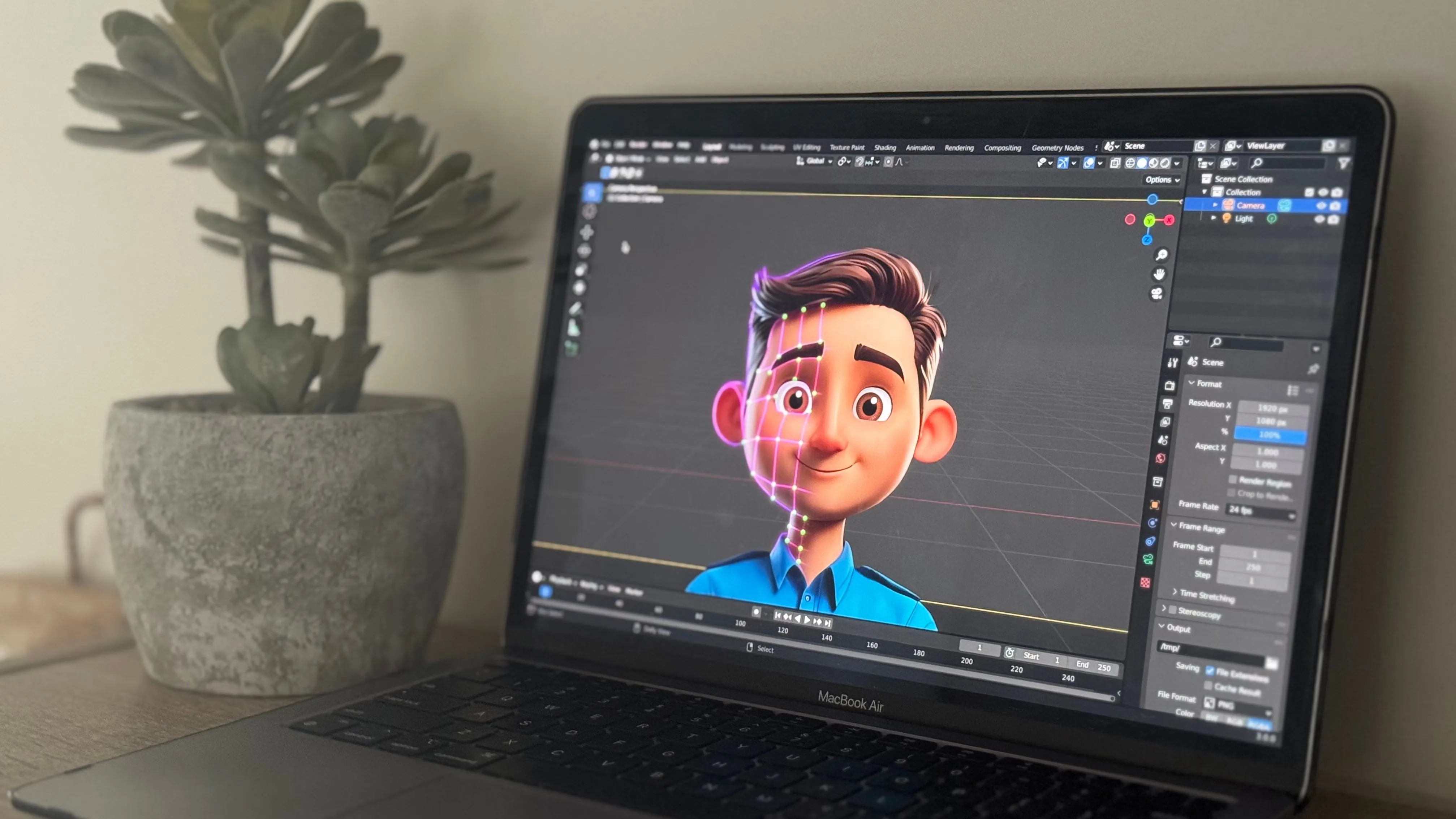
3D animation software has come a long way, giving artists more ways to create everything from animated characters and product advertisements to entire digital environments. However, choosing the right program can be challenging when each offers different tools and workflows.
According to Mordor Intelligence's 2026 research, software accounted for 63.37% of the global 3D animation market in 2025. This shows how important of a role software is in modeling, rigging, animation, simulation, and rendering across different industries. When comparing 3D animation programs, several features are worth considering:
- Animation and rigging: Tools for creating character movements, controlling skeletons, and animating objects.
- Modeling capabilities: Features for building characters, environments, and other 3D assets.
- Rendering: Support for producing high quality final images and animation sequences.
- Ease of use: An accessible interface, learning resources, and community support.
- Compatibility: Integration with other applications, render engines, and production pipelines.
- Pricing: Software costs, licensing restrictions, and additional expenses for plugins or rendering.
Best 3D animation software in 2027
There is no single program that works best for every type of animation. Some applications are designed for complete 3D production, while others specialize in character movement, motion graphics, or visual effects. Here are some of the best 3D animation software options to consider in 2027:
1. Blender: Best free 3D animation software
Blender is one of the most versatile 3D animation programs available, offering a complete set of tools for modeling, sculpting, rigging, animation, simulation, and rendering. Since it is free and open source, artists can explore professional 3D workflows without paying for a software license.
Its animation features include keyframe animation, shape keys, constraints, the Graph Editor, and the Nonlinear Animation Editor. Blender also includes Cycles for physically based rendering and Eevee for faster rendering workflows.
Advantages:
- Completely free and open source.
- Supports nearly every major stage of 3D production.
- Large community with extensive tutorials and resources.
- Suitable for both independent artists and professional studios.
Limitations: Blender can initially feel overwhelming because of its extensive features. Some established studio pipelines may also require additional integration to accommodate Blender.
Best for: Beginners, freelancers, independent animators, and artists looking for a complete 3D production package.
Blender's accessibility has helped artists like Benjamin Stanton turn personal ideas into finished animations. In GarageFarm.NET's case study Turning everyday ideas into 3D worlds with Benjamin Stanton, the artist describes using Blender to create a detailed city environment inspired by Seoul. He later used GarageFarm.NET to render the finished animation, overcoming the limitations of his local hardware.
2. Autodesk Maya: Best for professional character animation
Autodesk Maya is widely used in film, television, and game development, particularly for projects involving complex character animation. Its advanced rigging tools and animation controls make it suitable for productions requiring detailed performances and sophisticated character movement.
Maya includes tools such as the Graph Editor, animation layers, and the Time Editor. These allow animators to refine movement, manage animation clips, and work with complex character rigs. Its integration with other professional applications also makes it useful in larger production pipelines.
Advantages:
- Advanced character animation and rigging tools.
- Flexible animation editing and control.
- Established presence in professional production pipelines.
- Supports scripting and custom studio tools.
Limitations: Maya requires a paid subscription for commercial use and can take considerable time to learn, particularly for beginners unfamiliar with 3D animation.
Best for: Professional character animators, game studios, and film or television productions.
3. Cinema 4D: Best for motion graphics
Cinema 4D is especially popular among motion designers who create animated advertisements, product visuals, and broadcast graphics. Its approachable interface and procedural animation tools make it a strong option for artists who want to create polished motion graphics efficiently.
One of its defining features is MoGraph, a collection of tools for creating procedural animations using cloners, effectors, and fields. Artists can animate large groups of objects, build repeating patterns, and create complex motion without manually keyframing every element.
Advantages:
- Powerful MoGraph tools for procedural animation.
- Accessible interface and organized workflow.
- Integration with Redshift for rendering.
Limitations: Cinema 4D requires a paid license, and artists focused on advanced character animation may prefer more specialized tools.
Best for: Motion designers, advertising studios, product animators, and broadcast graphics artists.
4. Houdini: Best for procedural animation and visual effects
Houdini is known for its procedural approach to 3D creation, making it particularly useful for complex animations and visual effects. Rather than building everything through manual operations, artists can create node networks that control geometry, movement, and simulations.
This approach is especially valuable for effects such as destruction, fluids, particles, and large environmental simulations. Houdini also includes character animation tools through its KineFX framework, although its procedural effects capabilities remain one of its biggest attractions.
Advantages:
- Advanced procedural and node based workflows.
- Powerful physics simulations and visual effects.
- Flexible tools for creating reusable systems.
- Suitable for technically demanding productions.
Limitations: Houdini has a steep learning curve, particularly for artists unfamiliar with procedural workflows. Some tasks also require more technical knowledge than in traditional animation software.
Best for: Visual effects artists, technical directors, procedural animators, and simulation specialists.
5. Autodesk 3ds Max: Best for architectural and product animation
Autodesk 3ds Max is a well established 3D application commonly used in architectural visualization, product design, and game asset creation. Its modeling and animation tools make it useful for creating detailed environments and presenting products through animated sequences.
The software includes keyframe animation, controllers, modifiers, and character animation tools. It also supports popular rendering solutions such as V Ray and Corona, making it useful for projects that prioritize realistic lighting and materials.
Advantages:
- Strong polygon modeling capabilities.
- Useful for architectural and product visualization.
- Extensive plugin ecosystem.
- Compatibility with established rendering tools.
Limitations: 3ds Max is available for Windows and requires a paid subscription. Artists focused primarily on character animation may find Maya more suitable.
Best for: Architectural visualization artists, product designers, and environment artists.
6. Unreal Engine: Best for real time 3D animation
Unreal Engine offers a different approach to animation by allowing artists to work inside a real time rendering environment. Although primarily known as a game engine, it is also used for cinematics, virtual production, and animated content.
Its Sequencer tool allows artists to organize cameras, animation tracks, lighting, and cinematic events. Control Rig provides tools for character rigging and animation directly within the engine, while its real time rendering capabilities allow creators to preview scenes without waiting for traditional offline rendering.
Advantages:
- High quality real time rendering.
- Sequencer for cinematic animation.
- Control Rig for character animation.
- Useful for interactive experiences and virtual production.
Limitations: Unreal Engine is not a complete replacement for traditional modeling and animation software. Many projects still rely on applications such as Blender or Maya to create and prepare assets.
Best for: Game developers, virtual production teams, cinematic artists, and creators working with real time environments.
7. Cascadeur: Best for physics assisted character animation
Cascadeur focuses on character animation, particularly movement that involves complex body mechanics. Its physics assisted tools help animators create believable poses, jumps, falls, and other physical actions.
Features such as AutoPosing and AutoPhysics help artists refine character movement while maintaining control over the animation. This makes Cascadeur especially useful for action sequences where balance, weight, and momentum matter.
Advantages:
- AI assisted posing tools.
- Physics based animation assistance.
- Useful for dynamic character movement.
- Can complement existing animation workflows.
Limitations: Cascadeur focuses on character animation rather than offering a complete modeling, lighting, and rendering pipeline.
Best for: Character animators, game developers, and artists creating action focused animation.
8. iClone: Best for fast character animation
Reallusion's iClone is designed to simplify character animation through motion editing, facial animation, and motion capture workflows. It is particularly useful for creators who want to produce animated performances without building every movement manually.
Artists can work with existing motion data, edit character performances, and create facial expressions or lip sync animation. Its integration with other Reallusion tools also helps streamline character creation and animation.
Advantages:
- Character focused animation workflow.
- Motion capture and motion editing features.
- Facial animation and lip sync tools.
- Useful for rapid animation production.
Limitations: iClone is more specialized than general 3D applications and may require additional software for complex modeling or other production tasks.
Best for: Character animators, independent filmmakers, previs artists, and creators producing animated dialogue.
3D animation software comparison
Each program has different strengths, so comparing them side by side can make choosing easier.
Free versions, educational licenses, and trials may have restrictions. Commercial licensing and pricing should always be checked before choosing software for professional projects and before purchasing software, consider the total cost of your workflow. Plugins, rendering engines, hardware upgrades, and training can add expenses beyond the software license itself.
Which 3D animation software should you choose?
The best choice depends on your experience and the type of animation you want to produce. A program that works well for a motion graphics artist may be less suitable for someone creating realistic character performances.
- For beginners - Blender is an excellent starting point because it is free and covers the major stages of 3D production. Beginners can learn modeling, animation, lighting, and rendering within one application. Cinema 4D is another option for those interested specifically in motion graphics, while iClone may appeal to creators who want to focus on character performances.
- For professional animation studios - Maya remains a strong choice for complex character animation and established studio pipelines. Houdini is particularly valuable for procedural effects and simulations, while Cinema 4D is well suited to commercial motion graphics. Blender can also support professional production, especially for independent studios looking for a flexible and customizable workflow.
- For game development - Blender and Maya are commonly used to create characters, rigs, and animation assets that can be exported to game engines. Unreal Engine then allows developers to integrate those assets into interactive environments. Cascadeur can complement these workflows by helping animators create and refine physically believable character movements.
- For motion graphics and advertising - Cinema 4D is particularly useful for motion graphics because of its MoGraph tools and integration with other creative applications. Blender offers a versatile alternative, while Houdini is valuable for more complex procedural effects. For artists working with animated products or environments, 3ds Max can also be a practical choice.
Rendering 3D animations: Local rendering vs. render farms
Creating an animation is only part of the production process. Once the scene is ready, each frame needs to be rendered into a final image, which can take considerable time depending on the complexity of the project. Local production remains important, although cloud services provide another option when additional computing resources are needed.
Local rendering
Rendering locally gives artists direct control over their hardware and files. It can be practical for smaller projects, previews, and scenes that render quickly.
However, complex lighting, detailed geometry, simulations, and high resolution output can make rendering demanding. Long animation sequences may occupy a workstation for extended periods, limiting the time available for other tasks.
Cloud rendering and render farms
Render farms allow artists to distribute rendering tasks across multiple computers, potentially reducing the time needed to finish an animation. This can be particularly useful when rendering many independent frames or working under tight deadlines.
GarageFarm.NET, for example, supports workflows involving Blender, Maya, Cinema 4D, and 3ds Max, along with compatible rendering engines. Artists can submit supported scenes to cloud rendering infrastructure rather than relying entirely on their local machines.
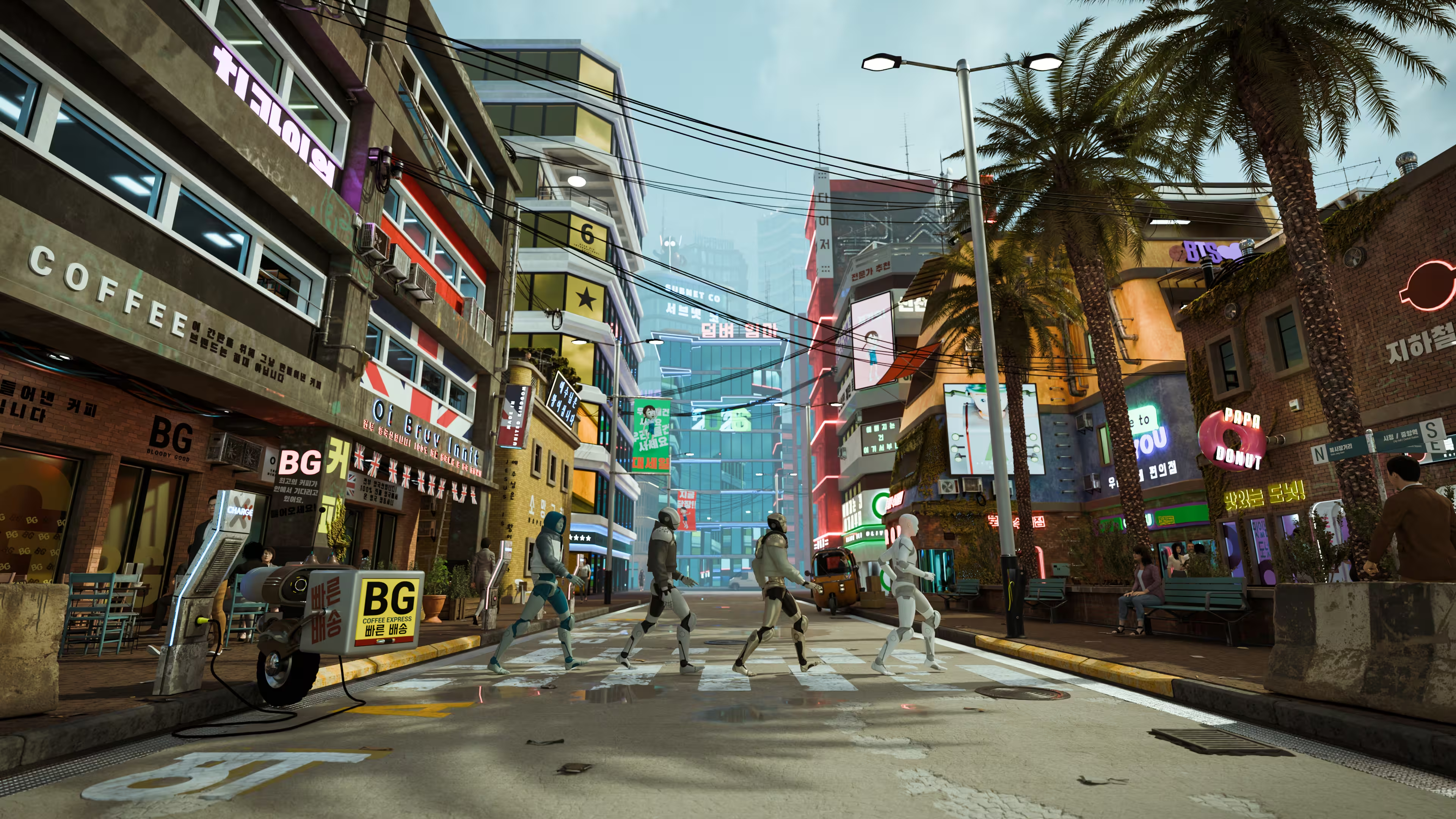
The practical benefits are illustrated by Blender artist Benjamin Stanton's Frozen in Time project, a detailed city animation inspired by Seoul. Rendering the sequence locally would have required weeks of separate sessions, but GarageFarm.NET helped him complete the final frames much faster.
"Animations were basically not gonna happen for me! [without GarageFarm’s help]" - Benjamin Stanton
His experience shows how rendering resources can influence what an independent artist can realistically produce. Even with capable animation software, having access to additional computing power can make ambitious projects more manageable.
Frequently asked questions about 3D animation software
- What is the best 3D animation software overall? - Blender is one of the strongest all around options because it provides a complete 3D production workflow for free. However, Maya may be better suited to professional character animation, while Cinema 4D and Houdini offer advantages for motion graphics and procedural effects.
- Which 3D animation software is best for beginners? - Blender is a popular choice for beginners because it is free, versatile, and supported by a large learning community. Its extensive features can take time to learn, but users can start with basic modeling and animation before exploring more advanced workflows.
- Is Blender good enough for professional 3D animation? - Yes. Blender includes professional tools for modeling, rigging, animation, simulation, and rendering. It can support complete animation projects, although compatibility with existing studio pipelines should be considered.
- Is Maya better than Blender for animation? - Maya is particularly strong in professional character rigging and animation, especially within established studio pipelines. Blender offers a broader free production environment and may be more practical for independent artists. The better choice depends on the project's requirements.
- What software do professional 3D animators use? - Professional animators use various applications, including Maya, Cinema 4D, Houdini, and 3ds Max. The choice often depends on whether they work in character animation, visual effects, motion graphics, or another specialized field.
- Can AI create 3D animations? - AI assisted tools can help generate or refine certain types of animation, including character poses and movement. However, creating a complete 3D production often still requires artists to manage models, rigs, scenes, lighting, and rendering.
Finding the right 3D animation software for your projects
Choosing 3D animation software should begin with the kind of work you enjoy creating. Someone interested in animated films may benefit from Maya or Blender, while a motion designer might find Cinema 4D more comfortable. Artists working with simulations or complex procedural effects may prefer Houdini.
It is also worth remembering that software preferences can change as your skills develop. Starting with an accessible program, learning the fundamentals, and gradually exploring specialized tools can be more valuable than trying to master several applications at once. Whichever software you choose, give yourself room to experiment. With the right tools, a practical workflow, and suitable rendering resources, even a small personal project can grow into something far more ambitious.
Register Now and Get $50 FREE Credits!