Key takeaways
- Blender is a free, open-source 3D creation suite used for modeling, animation, CGI, rendering, visual effects, simulation, game assets, product visualization, motion graphics, video editing, and 3D printing.
- Blender is not limited to hobby projects. Freelancers, artists, production teams, visualization studios, filmmakers, and other professionals use it for commercial work.
- Some of Blender's strongest use cases are tasks where modeling, materials, animation, rendering, and compositing need to stay within a flexible production workflow.
- Blender can also be used to create models for 3D printing, including miniatures, figurines, prototypes, decorative objects, and custom parts.
- Blender is capable of supporting full projects, but it does not necessarily replace specialized CAD, compositing, editing, or studio pipeline tools in every production.
TL:DR
What is Blender used for? In practical terms, Blender can take an idea from a basic 3D model to a finished image, animation, visual effect, game asset, product visualization, or 3D printable object.
Artists use Blender for 3D modeling and sculpting. Animators use it for characters and motion. VFX artists use it to build and integrate CGI into live-action footage. Game developers use it to create assets for engines such as Unity, Unreal Engine, and Godot. Designers use it for product visualization, while makers can use Blender for 3D printing.
Blender also includes tools for rendering, simulation, compositing, motion graphics, and video editing, which is why it can serve as more than just a modeling program.
Introduction
Blender has an unusual position in the 3D software world. It is free to download, but the range of work that can be produced with it stretches far beyond entry-level projects.
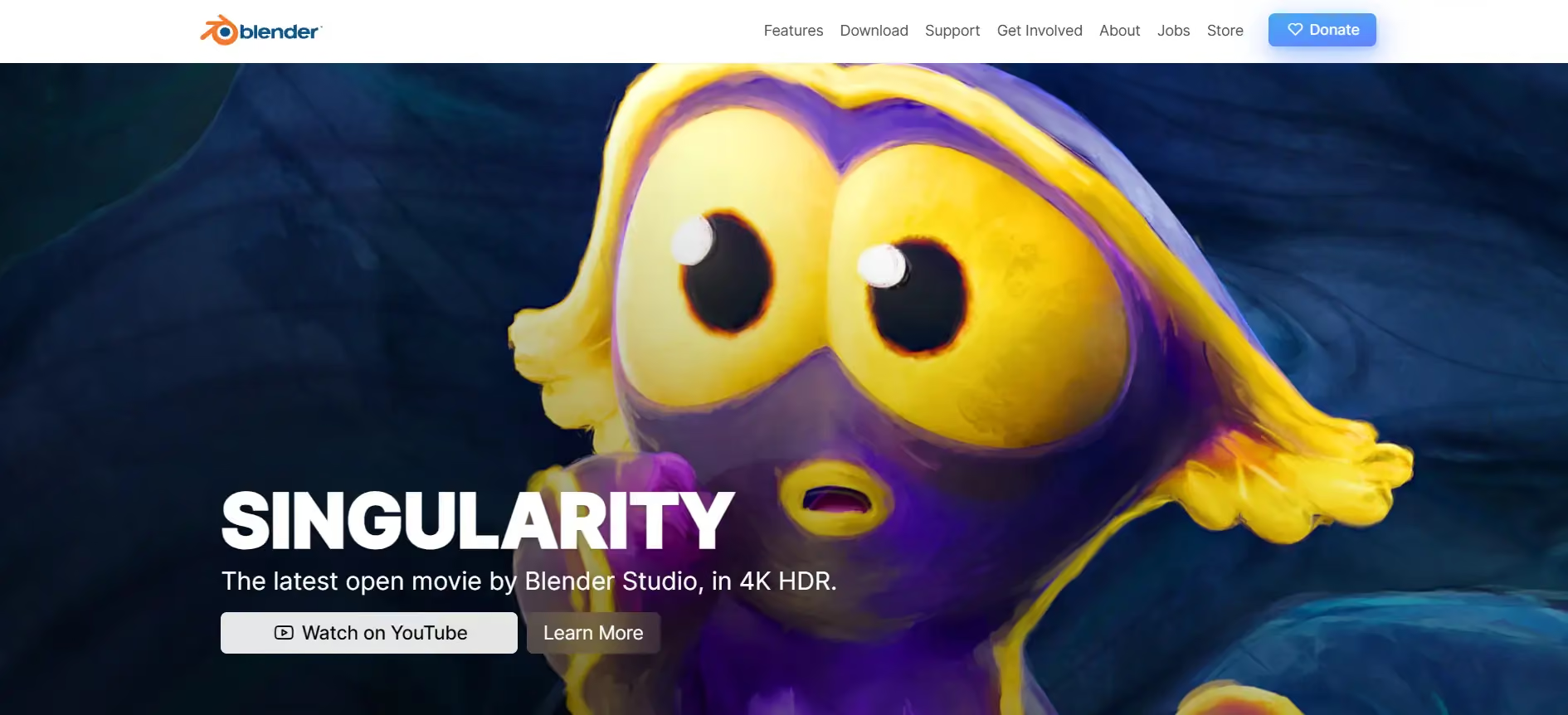
SINGULARITY - Painterly Space Adventure - by Blender Studio and Blender
You can use Blender to model a simple object, sculpt a character, prepare a miniature for 3D printing, create a product advertisement, build game assets, add CGI to filmed footage, animate an entire scene, or render final production frames.
That breadth is one reason the question "what is Blender used for?" does not have a single answer.
For some users, Blender is their first introduction to 3D. For others, it becomes part of a commercial production pipeline.
At GarageFarm.NET, we see the latter regularly. Blender projects sent for cloud rendering range from individual still images to animations, visualization work, VFX shots, and production projects where local hardware cannot meet the required turnaround.
The more useful question, therefore, is not simply what Blender can technically do, but which jobs it is actually well suited for.
What is Blender?
Blender is a free and open-source 3D creation suite. It combines tools that are often spread across several types of creative software, including:
- 3D modeling
- digital sculpting
- UV mapping and texturing
- rigging and animation
- rendering
- visual effects
- physics and simulation
- compositing
- procedural workflows
- basic video editing
This makes Blender unusually broad compared with software built around one specialized stage of production.
An artist can model an object, create its materials, light it, animate it, render it, composite the result, and make basic edits without leaving Blender.
That does not mean every professional should use Blender for every stage. It means the software gives users the option to keep far more of a project inside one environment.
Why Blender is popular
Blender is popular because it is accessible, powerful, and flexible. New users can download it for free and start learning right away, while experienced artists can customize it with add ons, scripts, and workflow tools. Its active community also creates tutorials, assets, plugins, and learning resources that make it easier to grow.
Who uses Blender?
The obvious reason is price. Blender is free.
That removes a major barrier for students, independent artists, freelancers, small studios, and anyone exploring 3D for the first time. There is no subscription required simply to learn whether the software fits your workflow.
Price, however, is only part of the story.
Blender is also highly customizable. Artists can extend it through add-ons and scripts, change their workspace around a particular job, and combine different parts of the software in ways that suit their production.
Its open-source development model has also created a large ecosystem of tutorials, assets, tools, community projects, add-ons, and workflow knowledge.
This combination of accessibility and depth is what allows someone to start with a basic Blender project and continue using the same software as their work becomes more demanding.
Who uses Blender?
Blender is used by a broad range of people because its toolset crosses several creative disciplines.
Users include:
- 3D artists
- illustrators and digital artists
- animators
- VFX artists
- indie filmmakers
- game artists
- game developers
- product visualization artists
- designers
- architectural visualization artists
- motion designers
- content creators
- makers and 3D printing enthusiasts
- educators and students
- freelancers
- visualization and production studios
Not all of them use Blender in the same way.
A game artist might spend most of the day modeling and preparing assets for export. A product visualization artist may focus on materials, lighting, and rendering. A filmmaker might only use Blender for camera tracking, environments, and CGI shots.
This is one of the main benefits of Blender software: the same program can fill very different roles depending on the project.
Blender’s main strengths
Blender's biggest strength is not any single feature. It is the ability to connect many stages of 3D production without constantly moving between applications.
For an independent artist, that might mean modeling, texturing, animating, and rendering everything in the same project.
For a studio, Blender might occupy only one part of a larger pipeline.
That flexibility matters.
One real-world example comes from Classic Color, a company working in premedia, print, and 3D visualization. Their CGI team was receiving extremely high-poly CAD files that had become difficult to work with in their existing software.
After testing the assets in Blender, they found that Blender handled the dense geometry much more comfortably. The team eventually integrated Blender into its production pipeline and reported using it for roughly 85% of its jobs.
That is a more representative example of professional Blender use than simply saying that Blender has a long feature list. A tool earns its place in production when it solves an actual workflow problem.
Another major strength is cost. Blender can be used for commercial work without purchasing a traditional software license, which can matter significantly for freelancers and smaller teams.
Its large add-on ecosystem also allows users to extend Blender toward specialized workflows without waiting for every possible feature to become part of Blender itself.
Blender’s main limitations
Being able to do many things does not mean Blender is always the best tool for each of them.
Its large interface can be intimidating for new users. Modeling, animation, rendering, Geometry Nodes, simulation, compositing, and editing each introduce their own workflows and terminology.
Blender can also become hardware-intensive.
High-poly scenes, complex geometry, large textures, simulations, ray-traced lighting, and long animations can eventually exceed what is comfortable to process on a single workstation. Rendering is one of the clearest examples. A frame that takes several minutes may be manageable as a still image but becomes a much larger problem when an animation contains hundreds or thousands of frames.
This is where cloud rendering or a Blender render farm can become part of the production workflow rather than trying to replace the artist's workstation entirely.
There are also jobs for which specialized software can be a better fit.
Blender is not a replacement for a full engineering CAD platform such as SolidWorks or a BIM workflow built around tools such as Revit. Dedicated compositing tools can offer advantages on complex VFX productions, and professional editing applications may be more efficient for long-form video work.
The practical question is not whether Blender can technically perform a task. It is whether Blender is the most efficient tool for that particular production.
What is Blender software used for?
Blender is used to create, manipulate, animate, visualize, and render digital content.
Some of its most common applications include:
The important point is that these are not isolated tools. A Blender project can move through several of these uses at once.
A product animation, for example, may involve modeling, materials, simulation, camera animation, rendering, compositing, and video output.
3D modeling
3D modeling remains one of the most common Blender uses.
Artists can create objects ranging from simple stylized props to highly detailed products, characters, environments, machinery, furniture, and cinematic assets.
Blender supports several approaches to modeling, so the workflow can change depending on what is being made.
Hard surface modeling
6 Blender Hard-Surface Modeling Tricks I Wish I Knew Earlier - by CG Boost
Hard surface modeling is commonly used for objects with manufactured or structured forms, including:
- machinery
- electronics
- tools
- vehicles
- furniture
- weapons
- product designs
- mechanical components
Blender's modifiers, snapping tools, transform controls, Boolean workflows, and mesh editing tools make it suitable for this type of work.
This does not make Blender an engineering CAD application, but it makes it useful when the goal is to create visually accurate assets rather than manufacture directly from engineering specifications.
Organic modeling
Just 1 Minute #001 - Organic Coating in Blender - by Just 1 Minute
Organic modeling covers softer and more irregular subjects such as:
- humans
- creatures
- animals
- plants
- terrain
- stylized forms
These projects often combine traditional mesh modeling with sculpting and subdivision.
Organic modeling is also common in character creation because artists can move between broad proportions and increasingly detailed forms.
Sculpting
Blender Makes Sculpting Easy: Block to Beast in 1 Hour - by Grand Abbitt (Gabbitt)
Blender includes digital sculpting tools for shaping geometry in a way that resembles working with clay.
This is useful for character faces, creatures, fabric folds, rocks, terrain, skin details, figurines, and other surfaces that are awkward to build polygon by polygon.
Sculpting can also connect directly with other Blender uses. A sculpted character might later be retopologized for animation, while a sculpted creature or miniature could be prepared for 3D printing.
Geometry nodes
Blender 3.0 Geometrynodes RND Showcase - by Embrace FX
Geometry Nodes provides Blender with a procedural approach to generating and modifying geometry.
Instead of manually building every variation, artists can create rules that scatter, repeat, transform, or generate objects.
This is useful for environments, repeated architectural details, procedural assets, abstract forms, and other workflows where manually editing hundreds of objects would be inefficient.
We have a dedicated guide to Blender Geometry Nodes, so for users interested specifically in procedural modeling, that topic is better explored in depth there.
Animation
Blender can animate far more than characters.
Almost any property in a Blender scene can change over time, including object transforms, cameras, lights, materials, modifiers, shape keys, and effects.
That means Blender can be used for:
- character animation
- product animation
- mechanical animation
- logo animation
- camera animation
- technical demonstrations
- short films
- advertising
- game cinematics
- animated explainers
Character animation
Introducing Storm - High-quality Blender 5.0 character rig - by Blender Studio and Blender
Character animation typically involves rigging a character with bones and controls before creating poses and movement over time.
Blender includes tools for armatures, constraints, shape keys, drivers, inverse kinematics, graph editing, and facial animation.
Because GarageFarm.NET already covers Blender's character animation and rigging development in dedicated content, this article does not need to duplicate the technical details.
For the broader question of what Blender can do, the important point is that character animation can stay inside the same environment used to model, light, render, and composite the character.
Object and camera animation
CGI exploded view product animation/ Blender - by Render-Edge Studio
Blender is equally useful when no character is involved.
A product visualization artist might animate a device opening to reveal internal parts. A designer might create an exploded-view animation. A filmmaker could animate a virtual camera through a digital set.
These workflows are particularly useful for advertising, product demonstrations, technical communication, architectural walkthroughs, and CGI sequences.
Rendering
Rendering turns the 3D scene into the final image or animation.
Blender includes tools for cameras, lighting, materials, color management, and output settings, as well as its own rendering engines.
Cycles
Cycles is Blender's path-tracing renderer.
It is typically chosen when realistic lighting, shadows, reflections, transparency, and indirect illumination are important.
Common uses include:
- product visualization
- architectural images
- photorealistic CGI
- animation
- VFX elements
- commercial still imagery
Eevee
Eevee is designed around real-time and near-real-time rendering.
It is useful when fast feedback matters, such as look development, stylized projects, previews, animation tests, interactive work, and certain motion graphics workflows.
The choice between Cycles and Eevee depends on the project rather than one engine being universally better.
Rendering is already a major GarageFarm topic, so this article should treat rendering as one of Blender's capabilities rather than trying to become another Blender rendering guide.
Visual effects
Blender can also function as CGI and visual effects software.
Artists can create 3D elements, track real camera movement, match perspective, build virtual environments, simulate effects, and combine rendered objects with filmed footage.
That makes Blender useful for independent films, music videos, advertising, online content, and other productions where CGI needs to interact with live action.
A good example is VFX artist and director Ray Wakui, who used Blender and Cycles for the 3D elements of music-video work produced by his team VeAble.
For Noah Sato's "LADYBUG" music video, Blender was used to create the 3D side of several VFX sequences, while After Effects handled compositing. Four main visual effects sequences totaling 343 frames were ultimately rendered through GarageFarm.NET.
This is an important distinction when discussing Blender for CGI. Professional production does not always mean forcing every stage into a single program. Blender can be the 3D core of a workflow while specialized tools handle other stages.
Camera tracking
Master Camera Tracking in 4 Minutes | Blender Tutorial - by Edin Spiegel
Camera tracking allows Blender to estimate the movement of a real camera from video footage.
Once the virtual camera matches that movement, 3D elements can be positioned inside the scene in a way that follows the original footage.
This can be used for:
- inserting CGI products
- adding digital characters
- set extensions
- environment replacement
- VFX elements
- motion graphics integrated with footage
Compositing
Blender Beginnner Tutorial: Compositing in 4 minutes - by Olav3D Tutorials
Blender includes a node-based compositor that can combine render passes, footage, masks, color adjustments, depth information, and visual effects.
For smaller projects this can reduce the need to move constantly between applications.
For more demanding production pipelines, Blender may instead provide the rendered elements that are later finished in dedicated compositing software, as in the Ray Wakui example.
Simulation
Some movement is too complex or unpredictable to animate efficiently by hand.
Blender includes simulation systems designed to calculate these types of interactions
Smoke, fire, and fluids
Realistic Explosion in Blender | Fire, Smoke & Particles | Short Tutorial - by Paweł Chądzyński
Blender can generate effects including smoke, fire, liquids, splashes, and other fluid motion.
These can appear in films, advertising, motion design, experimental work, and visualization.
Simulation can become computationally expensive, particularly when higher resolutions or longer frame ranges are required, so production workflows need to consider both simulation cache requirements and final rendering time.
Cloth, hair, and particles
Insanely Satisfying 3D Physics Showcase | Hair Particles in Blender - by Luan Carvalho
Blender can also simulate cloth, hair, fur, grass, sparks, debris, and other repeated or physically influenced elements.
These tools help add secondary motion and environmental detail that would otherwise require significant manual animation.
Physics and destruction
Massive Building Destruction in Blender - by CG Geek
Rigid body physics can produce collisions, falling objects, stacks, debris, and destruction-style effects.
Physics is also useful outside cinematic VFX. Product animation and motion graphics frequently use simple physical interactions to create movement that feels less mechanically animated.
Game asset creation
Learning BLENDER as a GAME DEV - by Versatile Vertices
Blender is widely used in game development, but there is an important distinction.
Modern games are usually not built entirely inside Blender. Instead, Blender is commonly used to create the 3D content that is imported into a game engine.
That includes:
- characters
- props
- weapons
- vehicles
- buildings
- environment pieces
- low-poly art
- animations
Characters and props
Blender can handle the full asset creation process from initial modeling through UV mapping, rigging, and animation.
It is particularly accessible to indie developers because the software can cover several production stages without additional licensing costs.
Low-poly art
Blender is also well suited to low-poly art.
Low-poly models deliberately use simpler geometry and are common in stylized games, mobile projects, indie games, illustrations, and projects where a simplified visual language is part of the design.
Creating low-poly work is not simply about making an object with as few polygons as possible. Artists still need to control silhouette, topology, materials, lighting, and composition so the simplicity feels intentional.
UV mapping and textures
Game assets need an efficient way to translate 2D textures onto 3D geometry.
Blender includes UV editing and texture painting tools that can prepare assets before they move into a game engine.
Exporting to game engines
Blender assets can be exported for use in engines such as Unity, Unreal Engine, and Godot.
So, can you make a game in Blender?
Blender can create much of the visual content needed for a game, but the final interactive project is usually assembled in a dedicated game engine.
For that reason, "Blender for game development" generally means using Blender as part of the asset pipeline rather than replacing Unity or Unreal.
Architectural visualization
Blender can create interior and exterior architectural visualizations, animations, walkthroughs, and presentation images.
Architects and visualization artists can use it to turn design information into scenes that communicate lighting, materials, scale, atmosphere, and spatial relationships.
However, architectural visualization is already covered extensively elsewhere on GarageFarm.NET, including a dedicated article on Blender as an architectural tool.
For many architectural workflows, Blender is strongest after the core CAD or BIM work has already been completed. It can then be used for visualization, look development, animation, and rendering.
Interior rendering
You Won’t Believe This Was Made in Blender! | Interior Rendering Showcase - by JoelPixen
Interior scenes can visualize:
- furniture
- lighting
- materials
- finishes
- decoration
- spatial layout
They are useful for design presentations, marketing images, real estate content, and communicating design intent.
Exterior rendering
CINEMATIC CITY Blender 4.4 - by Abrar Ahmed
Exterior visualization adds the building's surrounding context, such as streets, vegetation, neighboring structures, sky, and daylight.
These scenes can become significantly heavier than simple product renders, particularly when large environments and detailed vegetation are involved.
Product visualization
Rolex Submariner 2022 Black | Blender 3d Product Animation - by madebyomkar
Product visualization is one of the clearest examples of Blender being used for commercial work.
Rather than photographing every product variation, artists can create digital versions and control the lighting, material, camera, background, and environment.
This can be used for:
- advertising
- ecommerce imagery
- launch campaigns
- packaging previews
- social media
- product demonstrations
- design reviews
- product animation
The Classic Color example shows how this works in a real production environment.
Their team works with high-poly CAD data supplied by clients. Blender proved capable of handling geometry that had become difficult to manipulate in their previous setup. After moving deeper into Blender and confirming they could still achieve the realistic results required for visualization work, they integrated it into the production pipeline.
According to Classic Color's Rogelio Guzman, Blender eventually became part of roughly 85% of their jobs.
This illustrates an important Blender product visualization use case: Blender does not necessarily have to create the original engineering model. It can take existing design data and become the environment where artists prepare, present, animate, and render it.
Marketing images
CG product images can be used for websites, advertisements, ecommerce pages, presentations, social media, packaging, and launch material.
Unlike a physical photoshoot, a Blender scene lets the artist change the camera, lighting, materials, product colors, or environment without physically rebuilding the setup.
That flexibility becomes particularly useful when many variations of the same product are required.
Design review visuals
Blender can also help communicate a design before the final product exists.
Teams can review surface finishes, colors, overall proportions, and presentation options using the same 3D asset.
This does not replace engineering validation, but it can make visual decision-making much easier.
Motion graphics
BLENDER 3D | UI Statistics | Graphic Design and Motion Design done entirely in Blender - by Stanko Beronja
Blender can create 3D motion graphics such as:
- animated titles
- abstract forms
- product reveals
- logo animation
- looping backgrounds
- data-driven visuals
- social media graphics
Its advantage is the ability to combine true 3D geometry, lighting, materials, procedural systems, cameras, and animation in the same scene.
GarageFarm.NET already has broader content dedicated to motion graphics software and workflows, so this section should remain focused on Blender as one possible tool rather than competing for the entire motion-graphics topic.
3D printing
How I Made My First Art Toy: Blender, 3D Printing, and Painting Process - by Keelan Jon
Blender for 3D printing is one of the software's less obvious but highly practical uses.
A Blender model is not limited to existing on a screen. It can also become a physical object.
Artists and makers use Blender to create:
- miniatures
- figurines
- collectibles
- decorative objects
- prototypes
- replacement pieces
- custom shapes
- tabletop models
- sculptural designs
So, can Blender be used for 3D printing?
Yes. Blender can create and modify models that are exported into formats used by 3D printing workflows.
The modeling process, however, needs to account for the fact that a printable object has physical constraints that an ordinary render does not.
A model intended only for an image can contain geometry that looks correct from the camera but would fail as a physical object. For 3D printing, artists need to pay attention to issues such as scale, wall thickness, intersecting geometry, holes, unsupported details, and whether the mesh forms a printable solid.
This is particularly important when using Blender for miniatures or figurines. Details that look good on a large monitor may become too thin or fragile once reduced to the size of the final print.
Blender's sculpting and mesh-editing tools make it especially useful for artistic 3D printing, where the object may begin as a character, creature, ornament, or custom design rather than an engineering CAD model.
For mechanical parts that require strict manufacturing tolerances and parametric engineering constraints, dedicated CAD software may still be the better starting point.
For artistic and mesh-based printing, however, Blender gives creators considerable freedom.
Video editing and compositing
Blender for Video Editing: It's Surprisingly Good. Here Are Some Tips. - by LinuxCreative
Blender can edit video as well as create 3D content.
Its Video Sequence Editor allows users to:
- cut and arrange clips
- combine image sequences
- add audio
- adjust timing
- create transitions
- layer footage
- assemble rendered animation
- output finished video files
This can be particularly useful for Blender artists who have already rendered an animation and simply need to assemble frames, sound, and simple edits without opening another application.
So, can you edit video in Blender?
Yes, but whether you should depends on the job.
For a straightforward animation, preview, social clip, or small project, Blender's video-editing tools may be completely adequate.
For larger productions involving extensive editorial work, multicamera footage, sophisticated audio workflows, or complex color grading, dedicated editing software such as DaVinci Resolve, Premiere Pro, or similar tools may provide a more efficient environment.
This is another example of Blender's versatility. The feature does not have to replace a specialized editor to be useful. Sometimes having basic editing inside the same application is enough to remove an unnecessary step from a small production.
Education and learning
Blender is an accessible entry point for learning 3D because students can download the same core software used by experienced artists without purchasing a license.
That means learners can experiment with:
- modeling
- sculpting
- materials
- lighting
- animation
- rendering
- VFX
- procedural workflows
without having to choose a paid ecosystem before they understand which area of 3D interests them.
The broad toolset is helpful here. Someone may begin learning Blender because they want to model objects and later discover an interest in animation, product visualization, game art, or 3D printing.
Professional and studio use
Is Blender used professionally?
Yes, but professional use does not look the same everywhere.
Blender is used by freelancers, independent filmmakers, visualization companies, VFX artists, game developers, content teams, designers, and studios. It may function as the main 3D application or as one specialized part of a larger pipeline.
The Classic Color and Ray Wakui examples demonstrate two very different professional uses.
Classic Color integrated Blender deeply into a high-poly visualization pipeline.
Ray Wakui used Blender and Cycles as the 3D and rendering component of a VFX workflow while another application handled compositing.
Both are professional Blender workflows, even though the role Blender plays is different.
Freelancers and small studios
Blender is particularly attractive to freelancers and small studios because there is no per-seat subscription cost just to adopt it.
One artist can potentially handle modeling, materials, lighting, animation, rendering, compositing, and simple editing inside the same application.
That can make the production stack simpler for a small team.
The tradeoff is that the artist may need to understand more parts of the pipeline personally.
Larger creative workflows
Larger studios often rely on specialized software and established pipelines.
In those environments, Blender does not have to replace everything to be useful.
It may be used for:
- asset creation
- concept work
- visualization
- layout
- environment work
- previs
- rendering
- procedural tasks
- individual artist workflows
Pipeline compatibility becomes more important as teams grow because assets need to move reliably between departments and applications.
This is one reason asking whether Blender is "industry standard" can be misleading.
There is no single software package used for every type of 3D production. Maya may dominate certain animation pipelines, Houdini has a strong position in procedural VFX, CAD platforms dominate engineering design, and specialized applications remain important throughout production.
Blender's professional relevance comes from whether it can solve the team's production problem efficiently.
Is Blender good for beginners?
Well, Yes.
Blender's biggest advantage for a beginner is that learning does not require a software subscription.
The program itself is complex, however. Being free does not mean being simple.
A good starting path is usually:
- navigation
- basic modeling
- materials
- lighting
- cameras
- basic rendering
From there, users can branch into animation, sculpting, Geometry Nodes, game assets, visual effects, or 3D printing depending on what they actually want to create.
Trying to learn every Blender feature at once is usually less productive than learning the parts needed for a specific project.
Is Blender used professionally?
Big YES. Blender is used professionally and can be used for commercial projects.
The better question is whether it fits a particular production.
For a freelancer creating product renders, Blender may cover nearly the entire job.
For an indie filmmaker, it might handle CGI and environments while other software handles editing and compositing.
For a visualization studio, Blender may receive CAD assets from another application and become the main environment for materials, lighting, animation, and rendering.
For a large studio, it may be one tool among many.
That flexibility is one of the reasons Blender continues to appear in very different kinds of professional work.
Final thoughts
What can you do with Blender?
Quite a lot, but the answer becomes more useful when we stop treating Blender as a checklist of features.
Blender can model objects, sculpt characters, animate scenes, create CGI, produce game assets, visualize products, simulate physical effects, edit simple videos, prepare models for 3D printing, and render finished images and animations.
More importantly, many of those tasks can connect inside a single project.
A model can become an animation. An animation can become a VFX element. A CAD asset can become a product visualization. A sculpt can become a 3D printed miniature. A game asset can move from Blender into Unity or Unreal.
That is what Blender is good at: giving artists a flexible environment in which an idea can move through several stages of production without forcing every project into the same workflow.
For beginners, that makes Blender an accessible way into 3D.
For professionals, the value is different. Blender earns its place when its modeling, animation, visualization, rendering, or production tools solve a real problem efficiently.
And as the production examples from GarageFarm.NET users show, that can range from handling dense commercial CAD data to producing CGI sequences for music videos.
Register Now and Get $50 FREE Credits!

%2520(2).avif)