
Key takeaways
- Onion skinning is a core animation technique that allows animators to see previous and upcoming frames while working on the current one, helping plan and refine motion.
- It is especially important in frame by frame workflows where timing, spacing, and arcs must be crafted manually.
- Adjusting frame range, opacity, and color visibility makes onion skinning more useful and less visually overwhelming.
- As of 2025, the global animation market was valued at 430.01 billion USD, with strong shares in 3D animation, 2D animation, and stop-motion.
TL;DR
Onion skinning helps animators see surrounding frames while working on a single drawing, improving timing, spacing, and motion clarity. It comes from traditional paper animation but is now built into modern digital tools. As animation continues to grow across industries, mastering onion skinning helps reduce guesswork, improve quality, and create smoother movement for 2D animation.
What is onion skinning?
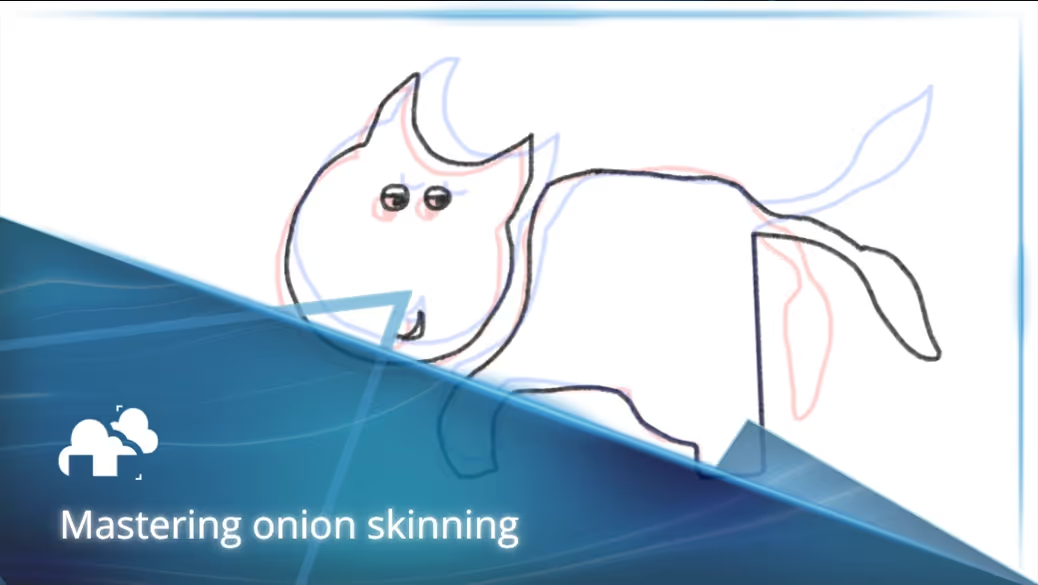
Onion skinning is a visibility feature that displays translucent or see-through versions of frames before and after the current one, much like the thin layers of an onion (that’s how it got its name!). This gives animators direct visual context for how elements move across time. Whether animating a bouncing ball, a facial expression, or a full character performance, onion skinning helps ensure each frame connects smoothly to the next. Click this link to understand more about the basics of onion skinning.
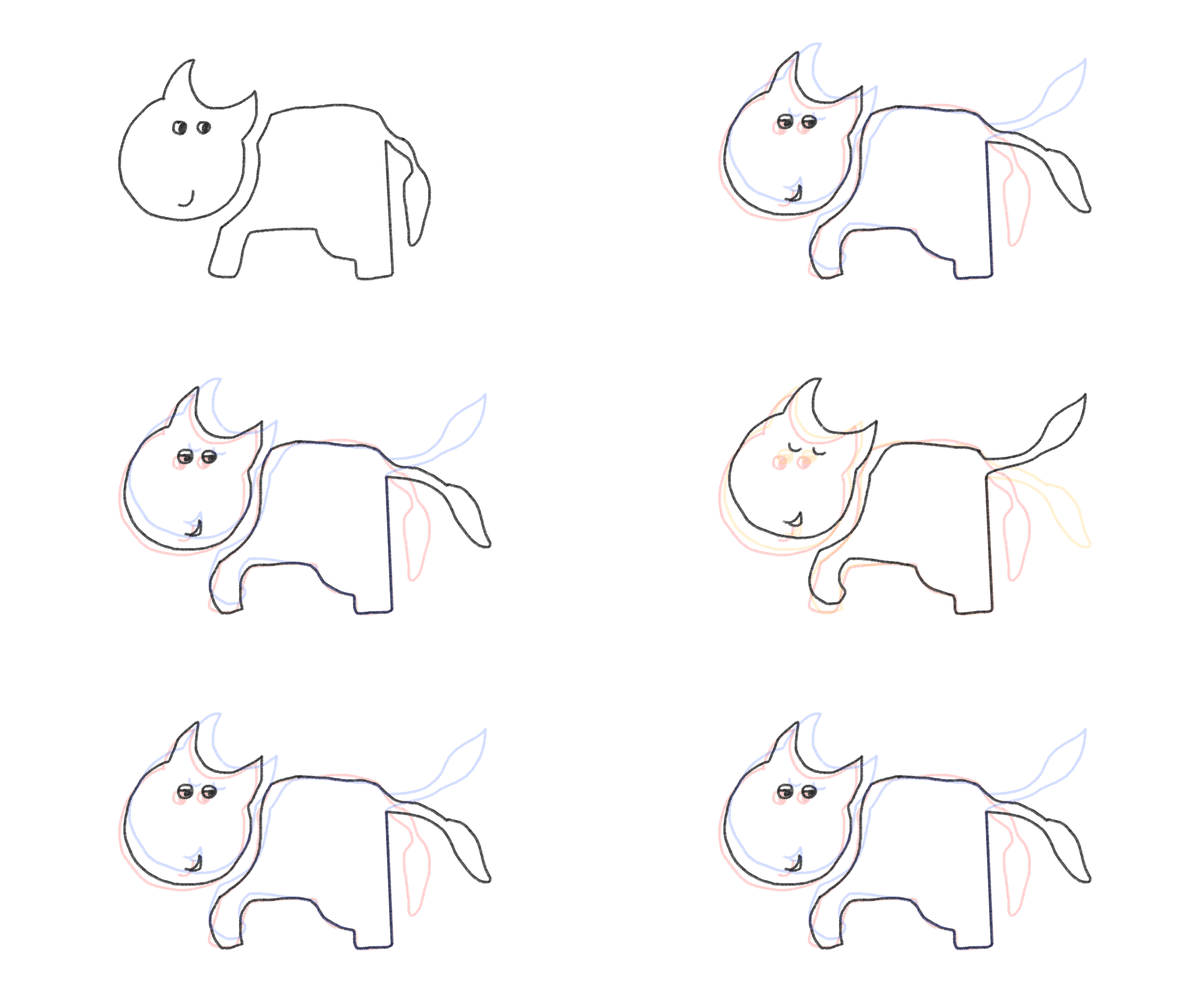
Before digital tools, animators relied on light tables and thin paper to see earlier drawings underneath the current sheet. Today, software recreates this effect using layered transparency (or opacity) that can be adjusted for clarity, color, and distance in time.
In a Vanity Fair interview, Gore Verbinski, director of Rango, once said,
“[...] you have to manufacture everything. On a live-action movie, things happen that are unexpected. In animation, you have to fabricate the feeling.”
Onion skinning is part of that manufacturing process. It allows animators to construct motion intentionally, rather than guessing how one drawing relates to another.
Traditional vs Digital Onion Skinning
The Traditional Approach
Before digital tools, onion skinning was done manually using physical materials:
- Light Tables and Peg Bars: Animators worked with thin paper layers placed over light tables. The underlying drawings showed through the top sheet, allowing animators to trace or reference previous frames, while peg bars kept all sheets aligned for frame accuracy. You can view this and the rest of the traditional animation process in Steve Little’s video below:
- Limited Visibility and Control: While effective, traditional onion skinning relied on natural light transparency. Artists were limited to viewing only one or two frames at a time, and could not control opacity or color separation.
Digital Tools Revolutionized the Process
With the rise of 2D animation software, onion skinning became faster and more customizable:
- Adjustable Frame Ranges: Digital tools allow users to view multiple past and future frames with just a toggle. Frame intervals, like showing every second or third frame, help with animating on twos or threes.
- Color Coding and Opacity Settings: Some software now lets animators assign different colors to previous and next frames (Adobe, Clip Studio Paint) . This creates visual separation and reduces confusion when viewing many layers at once.
- Layer-Specific Onion Skinning: Advanced tools offer control over which layers display onion skins (Krita, LucasSaturn Teach). This is especially useful in complex scenes where background elements and characters animate independently.
Bridging the Gap: Hybrid Workflows
Some artists still prefer to sketch initial frames on paper, then scan them into digital software to apply onion skinning digitally. This hybrid method retains the tactile feel of traditional animation with the flexibility of modern tools.
Why Onion Skinning Is Used in Animation and Its Advantages
Onion skinning plays a critical role in helping animators create smoother, more intentional motion by offering clear visual context between frames.
Planning motion with purpose
Onion skinning gives animators the ability to make informed decisions about movement. Instead of guessing how an object or character travels across frames, animators can directly see the motion arc and spacing. This reduces guesswork and allows for more intentional storytelling.
Improving timing and spacing
Seeing surrounding frames helps maintain consistent spacing between key poses and inbetweens. Proper spacing leads to smoother motion and better visual rhythm. Whether animating fast action or subtle gestures, timing can be fine-tuned frame by frame with visual feedback.
Consistency in shape and volume
Onion skinning supports visual consistency, especially for characters or objects that appear repeatedly. Animators can check proportions and positioning across frames to avoid shape drifting or size inconsistencies that can break immersion.
Boosting efficiency in iterative workflows
Rather than relying on playback after every change, artists can see their adjustments in real time by referencing nearby frames. This speeds up the review process and allows for quicker refinements during rough animation and clean-up stages.
When to turn it on and when to turn it off
Onion skinning is powerful, but it is not meant to be used at full strength all the time:
When onion skins outweigh visibility
Too many overlapping frames can create visual noise. If the screen becomes cluttered with multiple ghost images, it may slow down progress or lead to confusion, especially on smaller displays. In these cases, turning off or minimizing onion skinning can help keep focus.
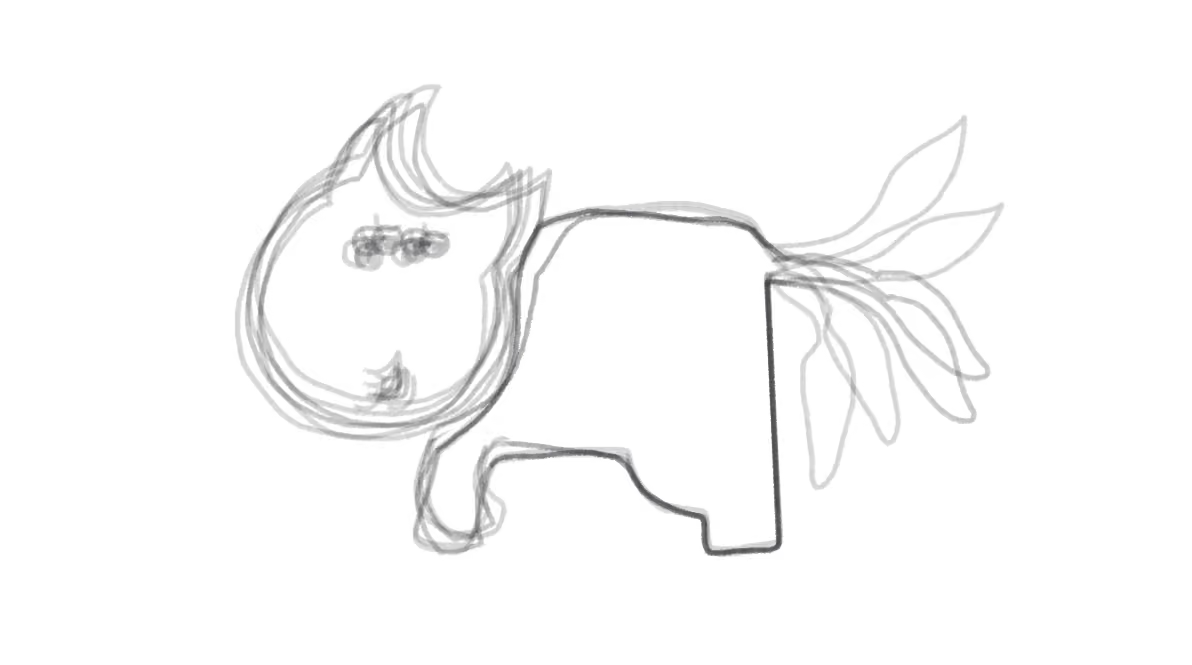
To rest and freshen the eyes
Sometimes, turning off onion skinning helps break visual dependency. This allows animators to step back, review the frame on its own, and make clearer artistic decisions without relying too much on surrounding context.
Cleanup and polish
During cleanup, many animators reduce or disable onion skinning. Too many ghosted frames can distract from line quality and detail work. At this stage, clarity matters more than motion planning.
Onion Skinning Beyond Animation: Expanding Into New Industries
As of 2025, the global animation market was valued at 430.01 billion USD, with strong shares in 3D animation, 2D animation, and stop-motion (Research Nester). And although onion skinning began in the animated film industry like in Walt Disney Studios (Adobe), its principles are now benefiting professionals across other artistic fields.
Video Game Development
Game animators use onion skinning when creating character and object motion cycles. This lets them see the recent and upcoming frames directly overlaid so they can adjust timing, spacing and fluidity of movement before final keyframe polishing. Typical software tools for 2D games like Aseprite have begun integrating it in the software for ease of use:
Creative videos and media
Designers apply onion skin techniques to prototype animated transitions and effects. Seeing each step in motion helps designers evaluate timing and smoothness to ensure that everything looks right. Effects like this scribble animation in this video by P A N T E R, can be seen across various videos and gifs, including music videos.
The Future of Onion Skinning: Smarter, More Immersive Tools
As creative tools become more advanced and collaborative, onion skinning is evolving too. Its foundational value remains the same, which is helping creators understand motion across time. But its applications are becoming broader and more intelligent.
AI-assisted frames
Some emerging tools such as KomikoAI are exploring smart onion skinning features that use machine learning to create in-between frames (KomikoAI). These enhancements could help animators maintain smooth motion while speeding up repetitive tasks. In this video, Undergrads: The Movie uses Runway AI to create inbetweens and the results are surprising.
Immersive 3D environments
Onion skinning is moving into spatial workflows. Artists can now use 3D animation platforms such as Blender’s Grease Pencil to view ghost frames within immersive environments. This allows for more accurate timing, positioning, and interaction in space, as demonstrated in the video below by Team Miracles. With the fast advancements of technology, it’s possible for onion skinning to make its way to VR sketching apps.
Cloud collaborative platforms
Cloud collaboration platforms have been making it possible for post-production teams in different regions to work together smoothly and efficiently (Industry Research). So a future possibility for onion skinning is for it to be integrated in team-based workflows where animators can view and respond to each other's frame progressions and contribute to the same scene or character motion.
Conclusion
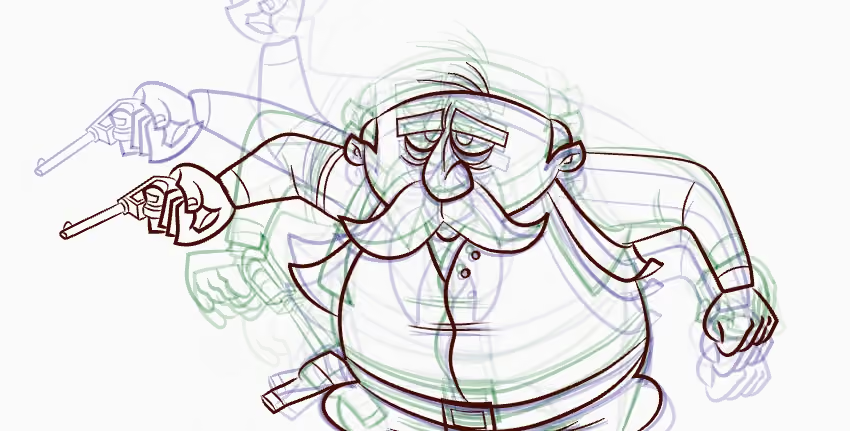
Onion skinning is a simple yet powerful tool that helps animators plan motion with clarity and intent. By showing surrounding frames, it improves timing, spacing, and flow without constant playback. Whether you're a beginner or a pro, it supports every stage of the animation process and reduces revisions. Even as tools evolve, the value of seeing where movement comes from and where it's going remains essential.
Register Now and Get $50 FREE Credits!