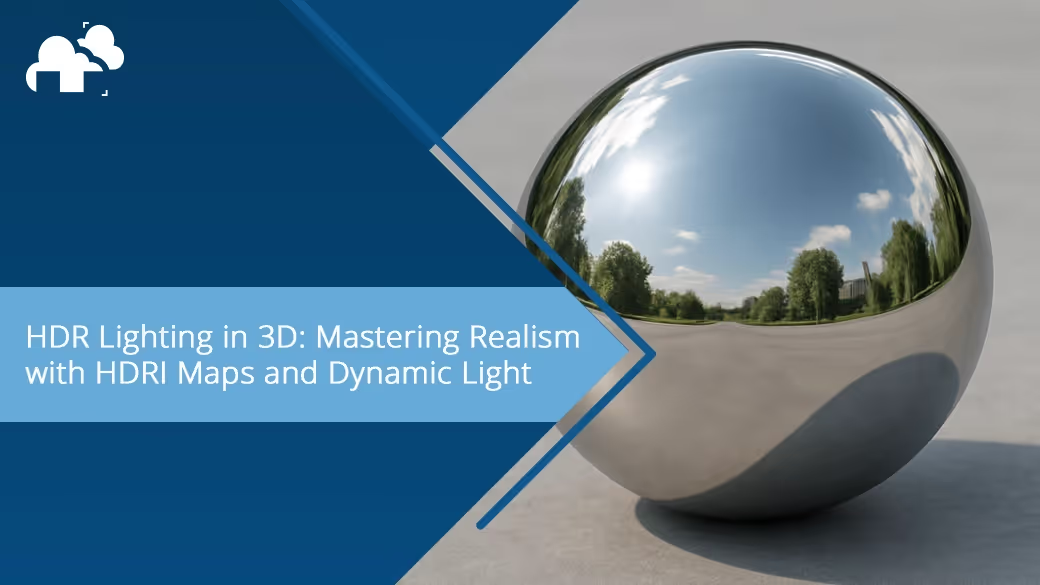



Lighting is one of the most powerful tools in a 3D artist’s arsenal. It sets the mood, defines form, and can instantly elevate a render from flat to photoreal. Among the various lighting techniques available, HDR lighting stands out for its ability to deliver both realism and creative flexibility with surprisingly minimal effort when used right. But HDR lighting isn’t just a buzzword. In 3D workflows, it’s important to understand that HDR (High Dynamic Range) and HDRI (High Dynamic Range Image) refer to two closely related but distinct concepts.
What Is HDR/HDRI Lighting?
HDR, or High Dynamic Range, is a method of capturing and displaying a much wider range of brightness and contrast than standard (LDR) images. In 3D rendering, HDR data allows light to behave more like it does in the real world, preserving both dark shadows and intense highlights without losing detail.
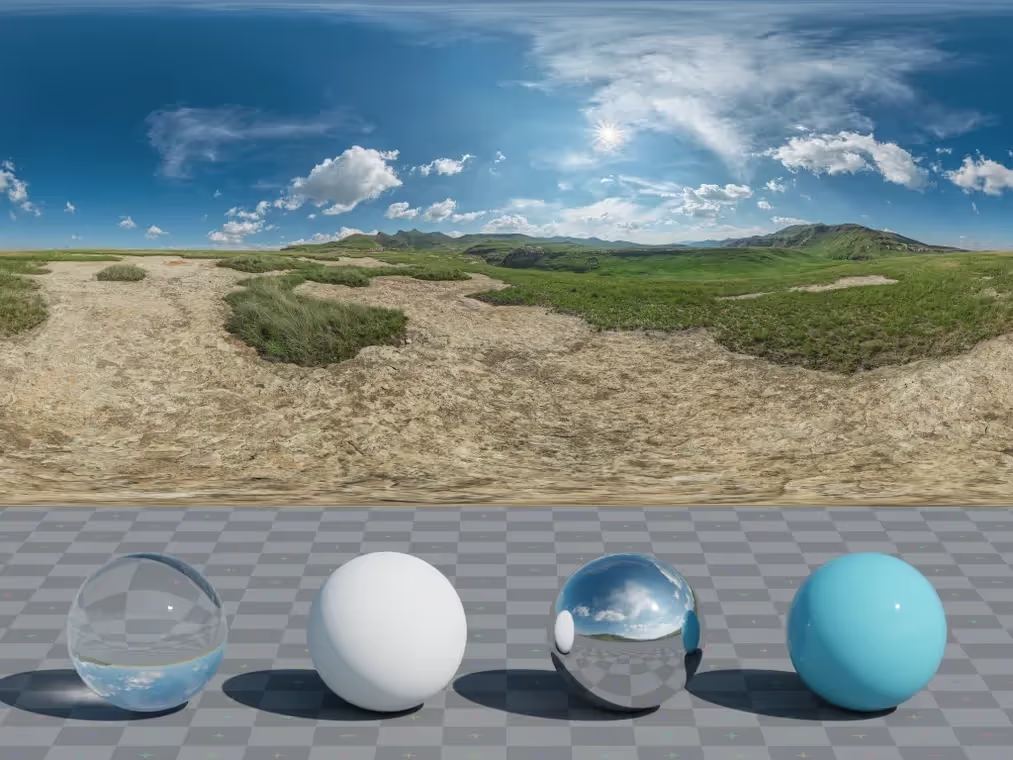
HDRI (High Dynamic Range Image), on the other hand, is a practical application of that data. It’s a 360° panoramic image, typically in .hdr or .exr format, captured using specialized techniques that preserve lighting information from real environments. When plugged into your 3D software’s environment or sky dome, an HDRI acts as a full-scene light source, casting natural ambient light, reflections, and shadows.
Why HDR Lighting Matters in 3D
Realism Through Soft Shadows and Light Gradients
HDR lighting enables a more realistic distribution of light and shadow across your scene. Instead of harsh contrast or flattened shadows, you get soft transitions that mimic the way light behaves in the physical world. This is particularly noticeable in scenes with varied surface detail or organic forms.
Better Exposure and Dynamic Range
One of the biggest advantages of HDR lighting is the ability to retain highlight and shadow detail, even in high-contrast scenes. This avoids the common pitfalls of blown-out lights or crushed blacks, especially when using tone mapping tools to fine-tune your final image.
Efficiency in Look Development
HDRI maps let you test materials and lighting setups rapidly without building complex rigs. Especially in product visualization or archviz, a well-chosen HDRI can act as your entire light setup, saving time while still producing compelling results.
Enhanced Material Interaction and Reflections
Materials like metal, glass, and glossy plastics benefit immensely from high-quality environmental reflections. HDRIs provide accurate lighting and reflection sources that give these surfaces a sense of place and realism that’s difficult to replicate manually.
Pro Tips for Better HDR Lighting
Match the HDRI to the Scene’s Mood
An overcast HDRI gives you soft, diffused lighting perfect for subtle or moody scenes. A golden hour map adds warmth and drama. Matching the light source to your subject matter and desired tone is key to selling the realism and emotional weight of your render.
Use High-Resolution HDRIs for Crisp Reflections
HDRIs come in various resolutions, from 1K to 16K. For general lighting, 2K or 4K might suffice, but for detailed reflections (especially on glossy surfaces), 8K+ can make a noticeable difference. It ensures sharp highlights and avoids muddy light behavior.
Hide HDRI Background Without Losing Its Light
Many engines allow you to keep the HDRI’s lighting effect while replacing the background. This is ideal when compositing or when you want a clean backdrop without sacrificing the natural ambient and reflection data that the HDRI provides.
Combine HDRIs with Traditional Lights for Control
While HDRIs are powerful, they’re not always enough for scenes that need specific lighting emphasis. Supplementing them with traditional key, rim, or accent lights allows you to shape the scene more intentionally, especially when guiding the viewer’s eye or enhancing character form.
Control Shadow Sharpness with Extra Light Sources
HDRIs tend to produce soft, ambient shadows. If you want sharper or more directional shadows, introduce a sun lamp or area light with clear casting properties. This adds shape and contrast while keeping the HDRI’s richness intact.
Advanced Techniques
Use Separate HDRIs for Reflections and Lighting
Some render engines support using one HDRI for lighting and another for reflections. This lets you light your scene with a subtle map while enhancing material realism with a visually rich environment.
Use Tone Mapping to Avoid Flat Lighting
HDR scenes often appear washed out before color correction. Applying proper tone mapping (such as Blender’s Filmic or ACES in other engines) restores contrast and depth. This post-processing step is essential for getting the most from HDR lighting.
Create Custom HDRIs for Stylized Scenes
You don’t always have to rely on real-world captures. You can create your own HDRIs in Blender or Photoshop, designing stylized light environments that still retain HDR benefits.
Enhance Interiors with HDRI and Light Portals
For interior scenes, HDRIs can still work, especially when paired with light portals that guide rays through windows or doorways. This setup boosts realism while giving you more control over how the HDRI behaves indoors.
Common Mistakes to Avoid
Overexposing Your Scene
Sometimes, HDRIs can be extremely bright. Instead of just lowering strength values, adjust camera exposure or use tone mapping to keep highlights in check without dulling the entire scene. This preserves both realism and dynamic contrast. The same also goes for underexposed HDRIs or scenes.
Using Low-Resolution HDRIs
A blurry HDRI can ruin reflections and introduce lighting artifacts, especially in glossy surfaces. Always check resolution and sharpness, especially when sourcing from free libraries. Invest in higher quality when needed.
Relying on HDRI Alone Without Shaping Light
HDRIs are powerful, but they don’t give you precise control over rim lights, facial accents, or storytelling shadows. Relying on HDRI alone often results in soft, even lighting. Always consider layering in key lights or additional sources when needed.
Where to Find Quality HDRIs
You can find high-quality HDRIs both for free and through paid sources. Reputable free sites include Poly Haven, Textures.com, and HDRI Skies. For more stylized or studio-specific environments, check out professional offerings from Greyscalegorilla.
Look for HDRIs that match the vibe you're after, and make sure you’re clear on licensing, especially for commercial work.
Bonus: Rendering HDR Scenes Efficiently
Because HDRI lighting involves full-environment sampling and reflections, it can impact render times. Here are a few tips:
- Use lower-res HDRIs for look dev, swap to high-res for final renders.
- Enable adaptive sampling and denoising to reduce noise in darker areas.
- Separate HDRI lighting and background with render layers or light groups for better post flexibility.
- For longer sequences or high-res stills, consider a cloud render farm to offload the heavy lifting.
Conclusion
By combining the rich detail of HDR imaging with the flexibility of modern 3D software, you open the door to lighting that’s not only more realistic but also more expressive. However, even though HDRI maps can get you 80% of the way there in a click, true mastery comes from knowing when to shape, blend, and refine. Explore different HDRIs. Play with tone mapping. Add in a few rim lights. HDR lighting is as much about atmosphere as it is about accuracy.
Register Now and Get $50 FREE Credits!