Key takeaways
• The best 3D modeling software depends on what you want to create, how you prefer to work, your budget, and the production pipeline you need to fit into.
• Popular 3D modeling programs such as Blender, Maya, 3ds Max, Cinema 4D, Houdini, and ZBrush have different strengths rather than competing for exactly the same type of work.
• Modeling workflow, animation tools, compatibility, learning curve, and rendering requirements can matter just as much as final image quality.
• The best 3D software for animation may not be the best choice for architectural visualization, character modeling, motion graphics, or visual effects.
• Many professional 3D artists use several applications together instead of relying on one program for modeling, animation, sculpting, simulation, and rendering.
TL;DR
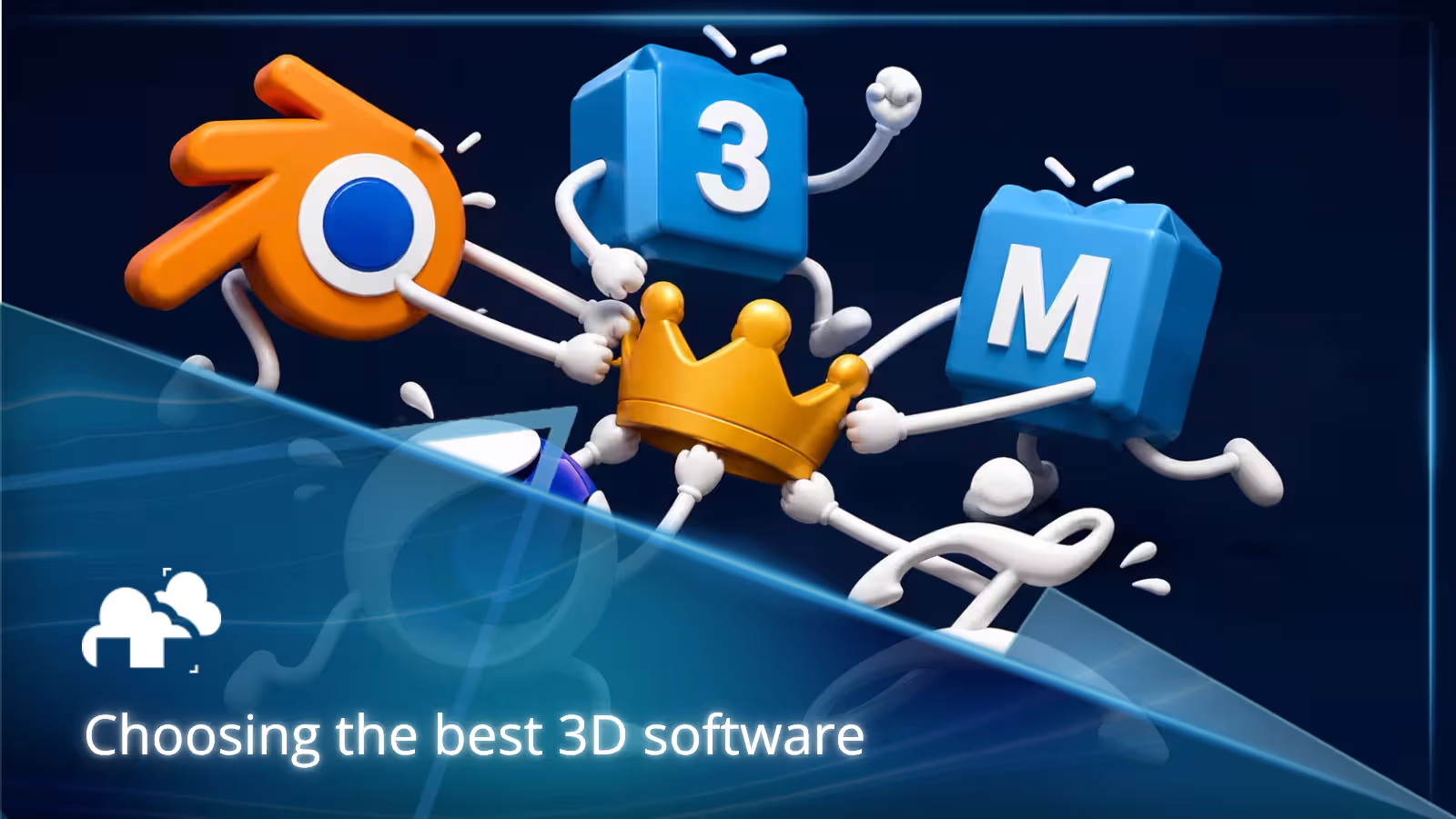
Choosing the best 3D modeling software starts with the work you actually want to make. Blender is a flexible all-rounder, Maya remains a major choice for character animation and production pipelines, 3ds Max is widely used for visualization and environment work, Cinema 4D is strong in motion graphics, Houdini excels at procedural workflows and visual effects, and ZBrush remains one of the leading tools for digital sculpting.
Rather than choosing a 3D modeling program based only on popularity, compare its modeling tools, learning curve, animation and rendering capabilities, hardware requirements, file compatibility, and how well it fits your long-term goals.
Why choosing the right 3D software matters more now
You will often hear advice like, "Choose Blender because it's free," or "Learn 3ds Max because professionals use it." The reality is more complicated.

Today's 3D modeling software is capable enough that there is no universal winner. The better question is which program fits your particular type of work.
Blender alone was downloaded almost 20 million times from blender.org during 2023, with roughly another 2 million downloads through app stores and Steam, according to Blender's 2024 annual report. At the same time, professional studios continue to rely on established 3D software such as Maya, 3ds Max, Houdini, Cinema 4D, and specialized tools that fit particular stages of production.
Software skills can also affect employability. Autodesk's 2025 State of Design and Make research reported that 61% of surveyed leaders found it difficult to hire new employees with the right technical skills, while 58% said a lack of skilled talent was a barrier to growth.
That makes choosing 3D software about more than personal preference. Your choice can affect how quickly you learn, what kind of portfolio you build, which workflows you can join, and how easily your work moves between modeling, animation, effects, and rendering.
Whether you are creating characters, environments, game assets, product visualizations, animated shots, or architectural scenes, the right 3D modeling tools should help you spend more time creating and less time fighting your workflow.
“[...] Faster feedback means our filmmakers can focus more on creativity and story, while still delivering the uncompromising quality audiences expect from Pixar." — Steve May, CTO at Pixar Animation Studios (RenderMan)
That principle matters whether you are building characters, environments, product visuals, animated shots, and other 3D models. The best 3D software is often the one that helps you test ideas quickly and keep moving.
Popular 3D software for modeling and rendering
If you are comparing popular 3D modeling software, these are some of the major applications you are likely to encounter.
Exact plans and pricing can change, so it is better to compare current licensing directly with the software provider before committing to a long-term workflow.
These programs overlap in many areas, but they do not approach every task in the same way.
Blender
Blender is one of the most widely used 3D modeling programs available today. It combines polygon modeling, sculpting, animation, rigging, procedural tools, compositing, video editing, and rendering in one application.
One of Blender's biggest advantages is cost. Blender is free and open source, with no subscription required to access its modeling, sculpting, animation, or rendering tools.
That makes it especially accessible to students, beginners, freelancers, independent artists, and small studios that want to learn or produce professional 3D work without taking on an additional software license.
This does not mean Blender is only a beginner tool. Its appeal is that someone can start learning without paying for access and continue using the same application for increasingly advanced work.
Its large community also means there is no shortage of tutorials, add-ons, documentation, and project files to learn from.
Its biggest overall advantage is versatility. You can model a prop, sculpt a character, animate a scene, build procedural systems with Geometry Nodes, and render the finished work without leaving the application.
For someone comparing the best 3D modeling software on a limited budget, Blender is difficult to ignore.
Maya
Maya remains one of the most established professional 3D software packages for character animation, rigging, modeling, simulation, and visual effects, as you can see in this video by Class Creatives:
It is especially relevant to artists who want to work in animation, film, television, games, or larger production pipelines. Autodesk positions Maya as a professional toolset for creating realistic characters and large-scale effects, and its animation and rigging systems continue to be major reasons studios use it.
For artists specifically looking for the best 3D software for animation, Maya deserves serious consideration.
Unlike Blender, Maya is commercial software. That means cost becomes part of the decision, particularly for independent learners, freelancers, and small studios. Autodesk also provides educational access for eligible students and educators, which can make the software more accessible during training.
For someone learning independently outside an educational program, the ongoing license cost may be a larger consideration. For an artist specifically targeting studios where Maya is already part of the production pipeline, however, learning it can still be a worthwhile investment.
Maya can also model and render, but its strongest advantage is often how comfortably it fits into complex animation and VFX pipelines.
3ds Max
3ds Max is widely used for 3D modeling, environment creation, architectural visualization, product visualization, and some game development workflows. In this video by Mesh Mastery, we can see some examples of the power of 3ds Max:
Its modifier-based approach and long history in architectural and design visualization make it particularly useful for artists creating interiors, buildings, vehicles, props, and other hard-surface assets.
For users searching for architectural visualization software or professional 3D modeling software for environment work, 3ds Max is still one of the most established choices.
Like Maya, 3ds Max is commercial software. Autodesk provides educational access for eligible users, but professional use requires a paid license.
That means the software cost should be evaluated alongside the value of its workflow, plugin ecosystem, compatibility, and established use in architectural visualization and professional production.
For a student or beginner who is still exploring 3D, a free application may be easier to start with. For someone entering a studio or visualization workflow built around 3ds Max, learning the software may make more sense despite the cost.
It also has a large ecosystem of rendering tools and plugins, which has helped keep it deeply embedded in visualization workflows.
Cinema 4D
Cinema 4D is particularly well known as 3D software for motion graphics, broadcast design, advertising, and commercial creative work.
It has earned a reputation for an approachable workflow and strong integration with motion-design pipelines. Its MoGraph tools are particularly useful for procedural animation, repeated objects, typography, abstract graphics, and branded visual content.
Cinema 4D is commercial software, so its cost should be considered against how central motion graphics and commercial design are to your work.
For a professional motion designer who uses its tools every day, the software may easily justify the expense. For a beginner who simply wants to experiment with general 3D modeling, a free alternative may be more practical at first.
Artists choosing between Cinema 4D and more general-purpose 3D modeling applications should therefore consider both workflow and cost. If motion graphics and commercial animation are priorities, Cinema 4D can be a very natural fit.
Houdini
Houdini stands apart from many other 3D modeling programs because of its procedural approach.
Instead of treating every change as a manual modeling operation, Houdini allows artists to build systems that can generate, modify, and process geometry according to rules. This becomes especially useful for complex environments, simulations, destruction, particles, fluids, crowds, and visual effects.
SideFX describes Houdini as procedural 3D software covering modeling, rigging, animation, VFX, look development, lighting, and rendering.
Houdini also offers a particularly useful entry point for learners through Houdini Apprentice, a free edition intended for learning and non-commercial use.
That allows students and beginners to explore Houdini's procedural workflow before deciding whether they need a commercial edition for professional work.
For artists looking for 3D software for visual effects, Houdini is one of the strongest options available. Its learning curve can be demanding, however, particularly for artists coming from more direct modeling workflows.
The free learning edition makes that learning curve easier to approach financially, even if professional production eventually requires a paid license.
ZBrush
ZBrush is one of the best-known applications for digital sculpting and high-detail 3D character modeling.
It is particularly useful for characters, creatures, organic surfaces, concept development, and models that require extremely dense geometric detail.
Unlike Blender, Maya, or Cinema 4D, ZBrush is often used as a specialized part of a larger pipeline rather than the only application an artist uses.
A character artist might sculpt in ZBrush, retopologize or rig the model elsewhere, texture it in another application, and finally render it using a separate renderer.
Because ZBrush is paid software, its value depends heavily on how important sculpting is to your workflow. An artist who spends most of the day sculpting characters may find the specialized toolset worthwhile. Someone who only occasionally sculpts may prefer an all-purpose 3D application that already includes sculpting features.
This is an important point when comparing ZBrush vs Blender or other all-purpose applications. The better choice depends on whether you need a specialized sculpting environment or a broader 3D production package.
Unreal Engine
Unreal Engine is not primarily a traditional 3D modeling application. Instead, it has become an important platform for real-time rendering, game development, visualization, animation, and virtual production.
Artists commonly create assets in programs such as Blender, Maya, 3ds Max, Cinema 4D, or ZBrush and bring those assets into Unreal Engine for real-time presentation and rendering.
Unreal Engine is free to download, although licensing terms can vary depending on how it is used and distributed.
Its ability to display complex scenes interactively makes Unreal particularly useful when instant visual feedback, virtual production, interactive experiences, or real-time architectural visualization are important.
Start with the kind of work you want to make
The easiest way to narrow down the best 3D modeling software is to start with the type of work you actually want to produce.
Different projects place very different demands on software.
Character artists need different strengths
If your goal is character modeling, creatures, stylized sculpts, or animated characters, look closely at sculpting, retopology, rigging, skinning, posing, animation, and surface-detailing tools.
“ZBrush was the only weapon of choice as the sculpt we did had a polygon count which exceeded 500 million. There are no other commercially available packages that can do this as far as I know... ” - Christer Bjorklund on creature work. (Maxon)
ZBrush is particularly strong for high-detail sculpting. Maya is widely used for rigging and character animation. Blender offers modeling, sculpting, rigging, animation, and rendering in one package.
There is no need to pick a winner based on a feature checklist alone. The best software for 3D character modeling is the one that supports the stages of character creation that matter most to you.
A dedicated sculptor may value ZBrush more highly, while an animator may place much greater importance on Maya's animation tools. An independent artist who needs to handle the whole pipeline may find Blender more practical, particularly because there is no subscription cost.
Environment and hard surface artists need control
Environment artists, architectural visualization artists, product designers, and hard-surface modelers have different priorities.

Clean topology, non-destructive editing, modifiers, snapping, instancing, scene organization, asset management, and the ability to make revisions efficiently can matter more than advanced character tools.
Blender, 3ds Max, Cinema 4D, Maya, and Houdini can all produce environment and hard-surface work, but their workflows are noticeably different.
For architectural visualization software in particular, compatibility with CAD data, rendering software, asset libraries, and production plugins may be just as important as the core modeling tools.
Pricing can also matter here. A freelancer working independently may place more value on a free all-purpose application, while a studio already built around 3ds Max may care more about compatibility with its established pipeline.
Animation requires more than modeling features
The best 3D software for animation needs to do more than create good models.
Rigging, keyframe editing, graph editors, deformation tools, constraints, simulation, playback performance, and pipeline support become much more important.
Maya remains especially prominent in character-animation workflows, while Blender offers an increasingly capable all-in-one option without licensing costs. Cinema 4D is particularly strong for motion design, and Houdini becomes valuable when procedural animation or simulation plays a large role.
Someone searching for 3D animation and modeling software should therefore consider how much of their work will actually be animation rather than choosing entirely on modeling features.
Motion graphics favors speed and flexibility
Motion graphics often involves typography, procedural animation, repeated elements, product shots, abstract forms, and rapid revisions for commercial clients.
Cinema 4D has traditionally been particularly strong here because of its MoGraph workflow.
Blender and Houdini can also handle procedural motion graphics, but they approach the work differently.
The best choice depends on how much control you need, how quickly you need to produce and revise work, and whether a paid commercial license makes sense for the amount of motion-design work you expect to do.
Game development has its own requirements
Choosing 3D modeling software for game development means thinking about the destination as well as the modeling process.
Game artists often need efficient topology, UV tools, baking workflows, skeletal animation, texture pipelines, predictable exports, and good compatibility with engines such as Unreal Engine and Unity.
Blender, Maya, and 3ds Max are all commonly used for creating game assets. ZBrush is frequently added when characters or detailed sculpting are involved.
The best 3D modeling software for game development is therefore often the one that fits cleanly into the rest of your game-art pipeline.
For students and independent game developers, Blender's lack of licensing cost can make it especially attractive. In larger professional pipelines, software requirements may instead be determined by the tools already used by the team.
Product and architectural visualization prioritize presentation
3D product visualization software needs to support accurate modeling, materials, lighting, camera work, and high-quality rendering.
Architectural visualization adds additional requirements such as large scenes, CAD compatibility, vegetation, asset libraries, instancing, and efficient scene management.
3ds Max has a particularly established presence in archviz, while Blender and Cinema 4D can also be strong options depending on the studio and renderer being used.
In both cases, it is important to consider the relationship between your modeling application and your rendering software rather than judging the modeler alone.
The cost of software should also be part of that comparison, particularly for freelancers and smaller teams that may be paying for multiple applications, renderers, plugins, and asset libraries at once.
The best 3D software is often the one you can really learn
A powerful program is not useful if you never become comfortable enough to finish real work in it.
This matters more than comparing feature lists indefinitely.
Real learning happens through projects
It is easy to spend weeks comparing Blender, Maya, 3ds Max, Cinema 4D, Houdini, and other 3D modeling applications without actually creating anything.
“The best way to learn a program is just to use it on an actual project.” Chun Chun Yang, Senior Texture Artist and Asset Generalist at Scanline VFX (Foundry)
Real projects reveal things that product pages do not.
You learn whether the interface makes sense to you, how quickly you can solve problems, how good the documentation is, whether the program stays responsive with your typical scenes, and how easily you can move from one stage of production to another.
For beginners, the best 3D modeling program is often the one that helps them complete projects consistently.
A program with fewer theoretical advantages but a workflow you understand can be far more productive than software whose advanced capabilities you never use.
Free vs paid 3D modeling software
Cost can matter as much as features when you are choosing 3D modeling software, especially if you are a student, beginner, freelancer, or small studio.
Blender removes the licensing barrier entirely because it is free and open source. Houdini Apprentice also gives users a free way to learn Houdini's procedural workflow for non-commercial use.
Commercial applications such as Maya, 3ds Max, Cinema 4D, and ZBrush require paid licenses for professional use, although educational access, free learning editions, or trials may be available depending on the software.
Free does not automatically mean less capable, just as paid software does not automatically mean better.
The value of professional 3D software often comes from specialized tools, established production pipelines, integrations, support, plugins, or compatibility with the studios and clients you work with.
For students and beginners, the ability to practice without worrying about subscription costs can be a major advantage. It lowers the risk of trying 3D, makes it easier to practice consistently, and lets someone build fundamental skills before deciding whether a paid package is necessary.
That is one reason Blender is such an accessible starting point for students and new 3D artists. They can learn modeling, sculpting, animation, rendering, and other core skills without first paying for software access.
If you are preparing for a specific career, however, learning the software commonly used in that field may matter more than choosing the cheapest option.
The practical question is not simply whether free or paid 3D modeling software is better. It is whether the software provides enough value for the type of work you plan to do.
Different tools have different strengths
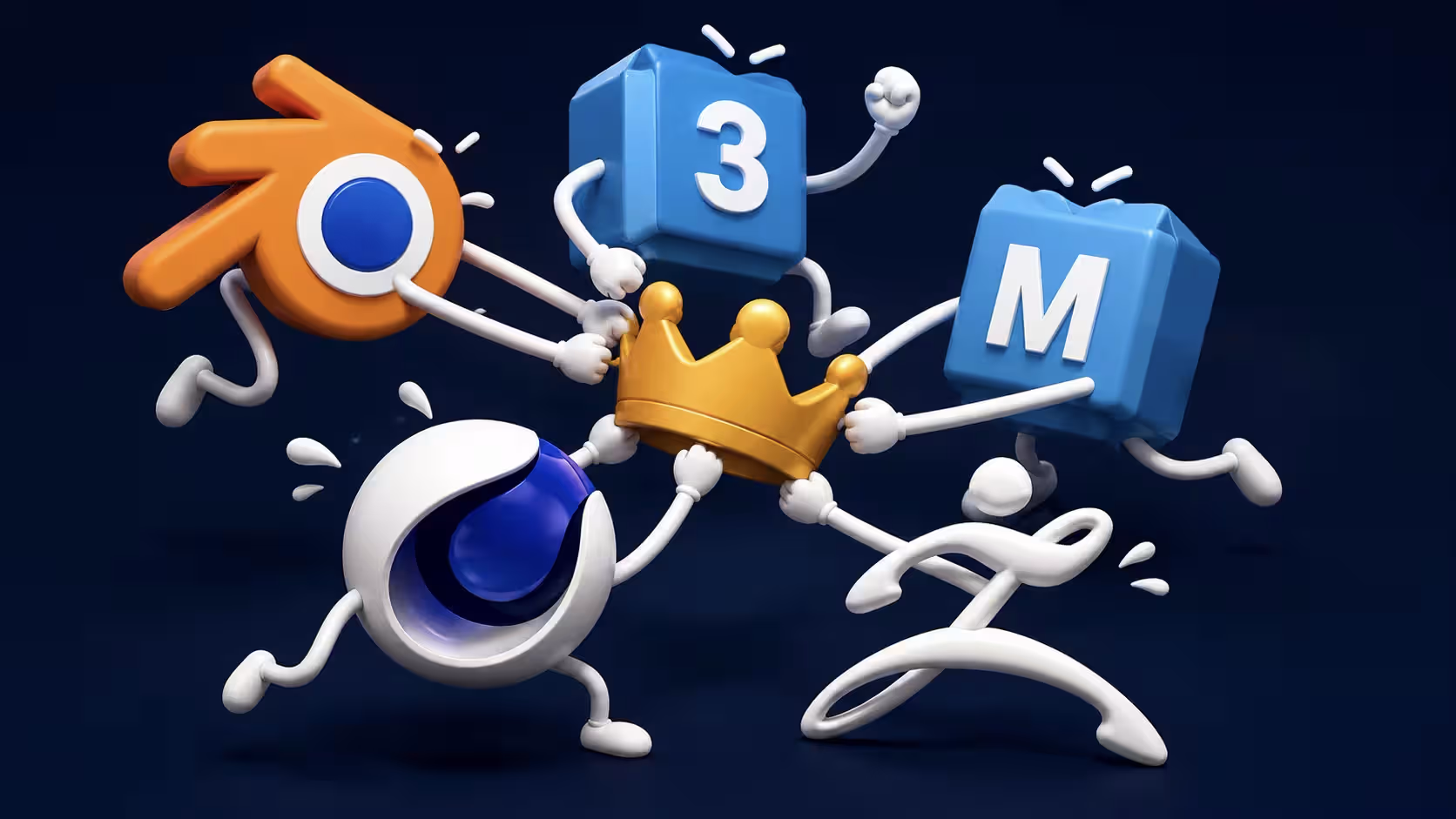
Trying to crown one application as the universal best 3D software misses the point.
Blender, Maya, 3ds Max, Cinema 4D, Houdini, and ZBrush overlap, but they were shaped by different workflows and production needs.
Blender emphasizes breadth, accessibility, and a free open-source model. Maya has deep roots in animation and studio pipelines. 3ds Max has a strong history in visualization and modeling. Cinema 4D is deeply associated with motion design. Houdini is built around proceduralism. ZBrush specializes in sculpting.
That is why a 3D modeling software comparison should start with your workflow, budget, and long-term goals rather than simply counting features.
GarageFarm.NET also has dedicated comparisons for software combinations where the differences deserve a deeper discussion, including Blender vs Maya and Maya vs 3ds Max.
Modeling workflow should come before render hype
When people compare 3D modeling and rendering software, it is tempting to judge applications by their finished showcase images.
That tells you surprisingly little about what it is like to work in them every day.
Daily workflow matters more than a pretty demo
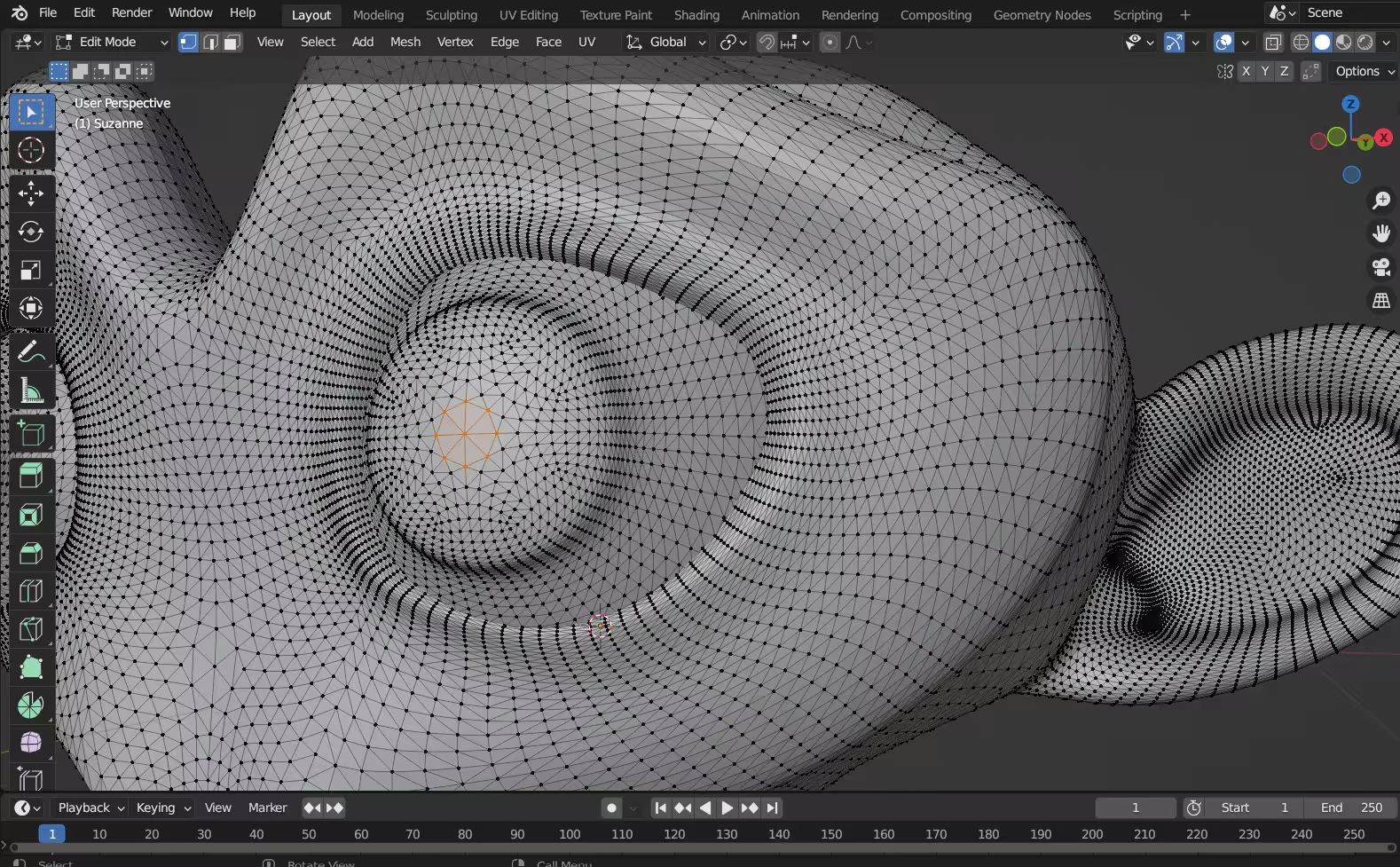
Most of your production time happens before the final render.
You may spend hours blocking forms, changing topology, organizing objects, creating UVs, correcting proportions, adjusting modifiers, managing references, updating materials, and responding to feedback.
That means seemingly small workflow differences can have a major effect across an entire project.
Look at how quickly the software lets you select, edit, duplicate, organize, revise, and reuse your work. Also consider whether common actions feel predictable or constantly interrupt your concentration.
Better tools reduce creative drag
Good 3D modeling tools make experimentation easier.
Non-destructive modifiers, procedural systems, sculpting tools, reusable assets, customizable shortcuts, scripting, and strong viewport performance can all reduce repetitive work.
This does not mean the software with the most tools automatically wins.
A feature is only valuable if it improves the work you actually do.
Rendering still matters, but context matters more
3D modeling software and rendering software are closely connected, but they are not necessarily the same thing.
A 3D modeling application is primarily used to create and manipulate scenes and geometry. Rendering software calculates the final image or animation from that scene.
Some applications include their own render engines, while others are commonly paired with third-party rendering tools.
For example, Blender includes Cycles and Eevee, Maya and 3ds Max integrate with Arnold, Cinema 4D is closely associated with Redshift, and Houdini includes Karma. Other renderers such as V-Ray, Corona, and additional third-party engines can be integrated into supported 3D applications.
So when choosing 3D modeling and rendering software, consider them as parts of the same production pipeline rather than assuming they must come from one package.
Fast iteration changes the whole process
Render quality matters, but so does feedback speed.
A renderer that allows you to preview materials, lighting, reflections, depth of field, and composition quickly can shorten the creative loop considerably.

The priorities also change depending on the job.
For a still image, maximum image quality and lighting control may matter most. For animation, consistency, stability, render time, and scene management become more important. For real-time work, interactive performance can become the priority.
The best renderer depends on the goal
There is no single best rendering solution for every artist.
A freelance product-visualization artist, a motion-design studio, an architectural visualization team, and an animation studio may all make different choices.
Compatibility matters too. Before committing to a rendering workflow, check whether the renderer supports your operating system, CPU or GPU hardware, required plugins, scene features, and any external rendering resources you may need later.
Cost can also extend beyond the modeling application itself. Some workflows involve separate renderer licenses, plugins, asset libraries, simulation tools, and additional hardware.
This becomes especially important on demanding projects. You may be perfectly happy with your 3D modeling software but eventually reach the limits of what your local workstation can render within a practical deadline.
In that situation, you do not necessarily need to change software. A compatible render farm can move the rendering workload to external hardware while allowing you to continue working in your preferred 3D application.
Collaboration has real value
The best 3D modeling software in isolation is not necessarily the best software inside a production pipeline.
Professional projects frequently move between modeling, sculpting, texturing, animation, simulation, lighting, rendering, compositing, editing, and review.
That makes interoperability important.
Consider common exchange formats, renderer compatibility, versioning, plugins, scripting, operating-system support, asset management, and how easily another artist can continue working with your scene.
Autodesk's 2025 State of Design and Make research found that 44% of surveyed leaders considered the cost of digital transformation a barrier. Software decisions have consequences beyond the price of an individual license.
A tool that simplifies collaboration, file exchange, automation, and large-project management can provide more practical value than an isolated feature advantage.
For teams, licensing costs also scale differently than they do for an individual artist. A paid tool that makes sense for one workstation can become a much larger expense across an entire studio.
The best 3D software for jobs is not always the best one for starting
Career goals can change how you evaluate 3D software.
A beginner learning for personal projects has different priorities from an artist preparing to apply to a large animation or VFX studio.
Industry relevance matters
If your goal is professional studio work, pay attention to the software used in the part of the industry you want to enter.

Maya remains highly relevant in character animation and VFX pipelines. Houdini is particularly important in procedural effects and simulation. 3ds Max maintains a strong presence in visualization and some game-art workflows. Cinema 4D is widely associated with motion design, while ZBrush remains a major sculpting tool.
Blender has also become increasingly relevant across freelance, independent, and professional production.
The important point is that there is no single industry-standard 3D modeling software across every sector.
"Industry standard" depends on the industry.
The most useful software to learn for animation may be different from the most useful choice for architectural visualization, motion graphics, VFX, game development, or product visualization.
Accessibility matters too
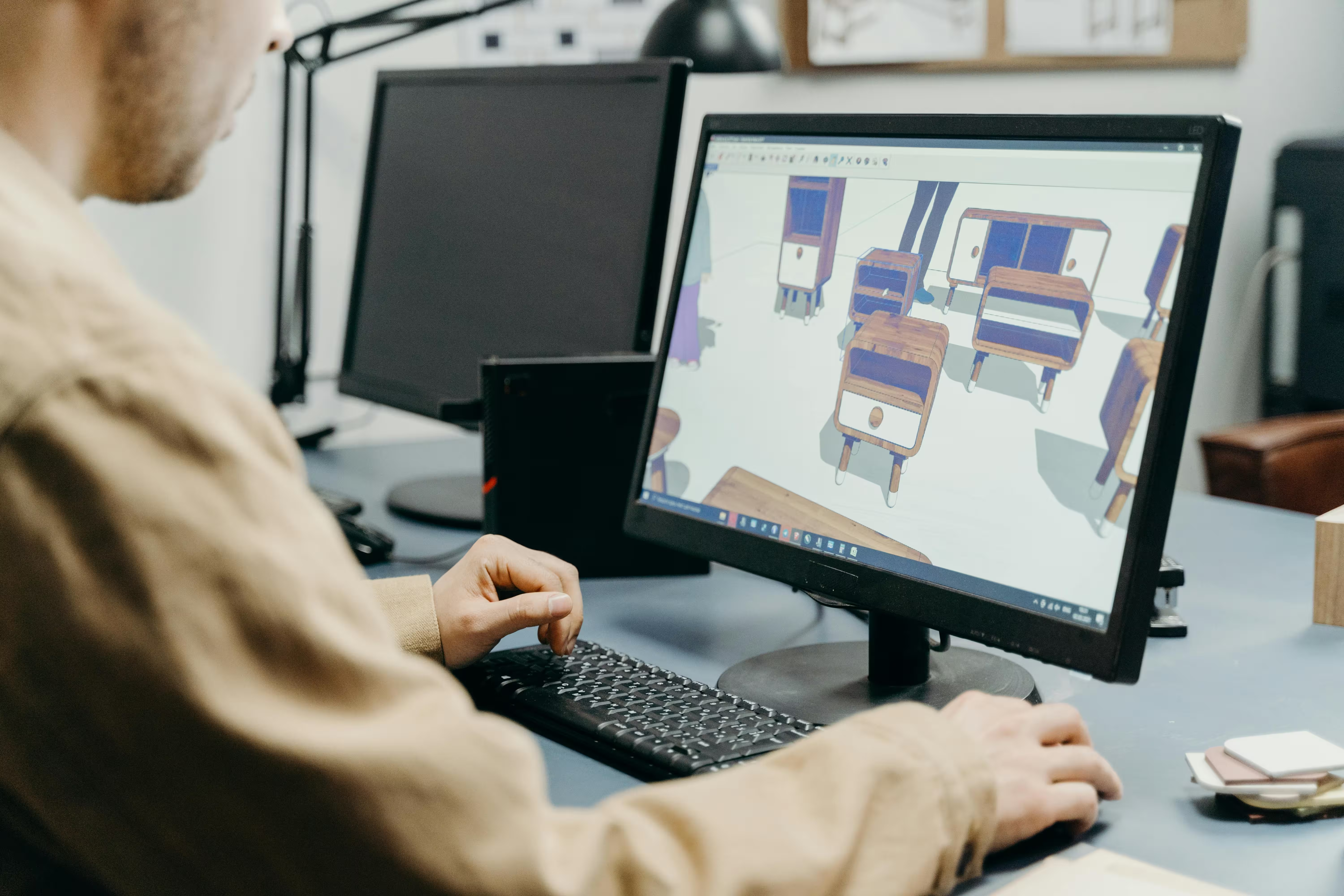
Professional relevance should not be your only consideration when starting.
Cost, available learning resources, hardware requirements, community support, and how much time you can realistically spend using the application all matter.
A professional 3D modeling package offers little advantage if its cost or complexity prevents you from practicing regularly.
For students and beginners, Blender has an obvious accessibility advantage because there is no licensing cost. Houdini Apprentice offers a similar benefit for people who want to learn procedural workflows before paying for commercial use.
For someone learning the fundamentals, an accessible tool that encourages frequent practice may be more useful than software chosen only because it appears frequently in job listings.
Once your goals become more specific, you can add the professional tools that are relevant to the field you want to enter.
What to ask yourself to help choose the best 3D software for modeling and rendering
Instead of asking which 3D modeling software is best for everyone, ask which one is best for what you want to accomplish.
What do you want to make this year?
Be specific.
Do you want to create characters, environments, game assets, motion graphics, product visualizations, architectural scenes, animated films, visual effects, or 3D-printable models?
The answer immediately narrows your options.
Someone interested primarily in character animation should evaluate very different features from someone creating architectural visualization or procedural effects.
What can you realistically spend?
Software cost deserves its own place in the decision.
If you are a student or beginner, paying for several professional applications may make little sense while you are still discovering which part of 3D interests you most.
Blender gives you access to a complete 3D production environment without a subscription, while Houdini Apprentice offers a free route into procedural 3D.
Paid programs can make more sense when their specialized tools, workflow advantages, or industry relevance directly support the work you intend to do.
Also consider the total cost of the workflow rather than only the modeling application. Renderers, plugins, asset subscriptions, hardware, storage, and external rendering can all add to the overall production budget.
What kind of workflow feels natural to you?
Some artists prefer direct polygon modeling. Others enjoy sculpting. Some want node-based systems and procedural control, while others prioritize speed and simplicity.
Try the software rather than relying entirely on comparisons.
A workflow that initially seems strange may become intuitive with practice, but if every basic operation feels unnecessarily difficult after several real projects, another program may suit you better.
What software will you actually keep using?
A long feature list means very little if you stop opening the application after two weeks.
Consider the learning curve, documentation, tutorials, community, hardware requirements, cost, and whether the software gives you a realistic path from beginner projects to the type of work you eventually want to create.
This is particularly important for teams. Advanced modeling capabilities are not useful if nobody on the team can use them efficiently.
How well does it fit the rest of your pipeline?
Your model may eventually need to move into sculpting software, a texturing application, a game engine, a renderer, compositing software, or another artist's workstation.
Check file compatibility and plugins before committing to a tool for a major project.
For rendering, also confirm that the software and renderer combination supports the hardware and external rendering services you intend to use.
What matters more right now, jobs or learning speed?
If employability is your immediate priority, study job descriptions in the field you want to enter and look for recurring software requirements.
If your immediate priority is learning 3D fundamentals and building a portfolio, accessibility and momentum may be more important.
That often makes free 3D modeling software especially attractive at the beginning because you can focus on practicing rather than deciding whether a subscription is worth keeping.
You can always add another application later.
In fact, many professional 3D artists eventually become comfortable with several tools because different projects call for different workflows.
So which 3D software is best?
There is no single best 3D modeling program for every artist, but the major options become easier to compare once you know what you need.
- Blender is one of the strongest all-round choices for artists who want free 3D modeling software with tools for modeling, sculpting, animation, procedural workflows, and rendering. Its lack of licensing cost also makes it especially accessible to students, beginners, freelancers, and independent creators.
- Maya remains a major professional choice for character animation, rigging, visual effects, and film-style production pipelines. It is paid software, so it makes the most sense when its workflow or industry relevance supports your goals.
- 3ds Max is particularly established in architectural visualization, environment creation, hard-surface modeling, and design visualization. Its commercial licensing is easier to justify when you work in pipelines where 3ds Max is already a standard tool.
- Cinema 4D is especially strong for motion graphics, broadcast design, advertising, and fast commercial workflows. Its value is strongest for artists who make regular use of its motion-design toolset.
- Houdini is one of the leading choices for procedural 3D work, simulation, complex environments, and visual effects. Houdini Apprentice also gives students and beginners a free way to learn the software before moving into commercial production.
- ZBrush remains one of the most important tools for high-detail digital sculpting and character creation. Its specialized nature makes the cost easier to justify for artists who sculpt frequently.
- Unreal Engine is a strong companion to traditional 3D modeling applications when real-time rendering, interactive visualization, game development, or virtual production is the goal.
There are many other 3D modeling applications and specialized tools beyond these, including CAD software, sculpting packages, texturing applications, render engines, and newer 3D creation tools.
The goal is not to find the program with the longest feature list or the highest price.
Choose the software that fits the type of work you want to create, gives you a workflow you can realistically learn, fits your budget, works with the rest of your pipeline, and supports the rendering requirements you are likely to face.
For one artist that may be Blender. For another it may be Maya, 3ds Max, Cinema 4D, Houdini, ZBrush, or a combination of several tools.
The best 3D modeling software is ultimately the one that helps you move from an idea to finished work efficiently and consistently.

Just remember: the best choice is not about picking the most famous software, but is choosing the one that gives you the clearest path to real work, better skills, and stronger results. Whether that be Blender, Maya, or something different entirely.
Register Now and Get $50 FREE Credits!
%2520(2).avif)